FileSeek Pro
Welcome to the download page for FileSeek Pro, a powerful and efficient file searching software ... and efficient manner. One of the standout features of FileSeek Pro is its lightning-fast search speed. Whether you're ...

FileSeek searches for files and finds text inside files using simple queries, its query language or regular expressions. Multithreaded searches run on demand without background indexing. Save common criteria as Search Profiles, sync profiles between computers, and use tabs to run multiple searches. Results can be saved, copied, deleted or dragged into other applications.
| Author: | Binary Fortress Software |
| License: | Freeware |
| Price: | FREE |
| Released: | Dec 14, 2021 |
| File size: | 7.30 MB |
| Downloads: | 303 |
| Keywords: | String Searcher, Windows 10, file search tool, desktop file finder, search files by pattern, FileSeek, regex file search, software review, Binary Fortress Software, Search File, search text in files, file search utility, find files by content, Seek String, Searcher, Seeker, Finder, x64 |
| Author URL: | https://www.binaryfortress.com/ |
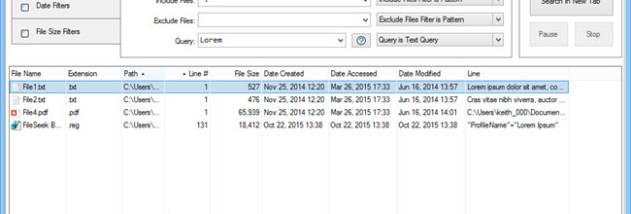




FileSeek is a desktop search utility for finding files and locating text inside files on a Windows computer. It serves users who need more control than a basic filename search provides, including people who regularly look for specific words, strings or patterns across folders. Searches can use straightforward queries or regular expressions, making it possible to match either ordinary text or more precise patterns.
Search criteria can be refined with FileSeek's query language or regular expressions to narrow results to the information needed. The application uses multithreading to run searches across files, and it does not rely on background search indexing. As a result, it searches when requested rather than continually indexing content while idle. This approach is useful for occasional investigations as well as repeated searches through large collections of documents.
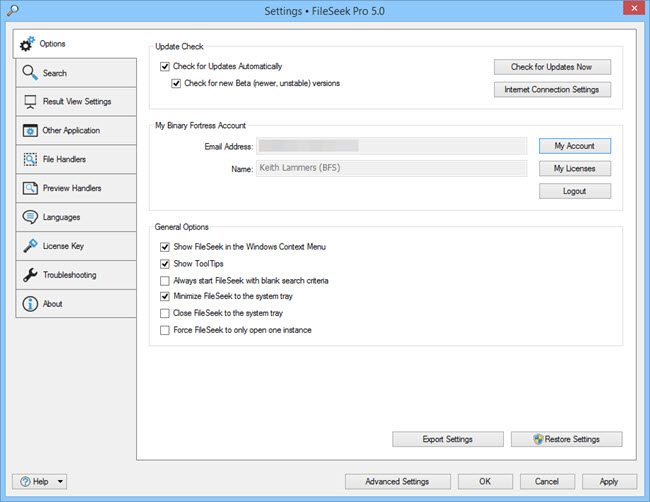
Frequently used criteria can be saved as Search Profiles, then loaded or modified for later work. Profiles can also be synced between computers, with automatic updates keeping them current. A tabbed interface lets users run another search without waiting for the current one to finish or opening a separate application window, which helps keep multiple search tasks organized.
Results can be saved in different formats for reference or handled directly in the application. FileSeek supports common follow-up actions such as copying or deleting results and dragging them into other applications. Users can also choose what happens when they double-click a result, selecting from predefined actions to suit their workflow. These options make the program useful for researching files, checking where particular text appears, and managing the items found during a search.
FileSeek is freeware and requires Microsoft .NET Framework 4.6. Its search profiles, query options and result actions are intended to support both simple file lookups and more specialized searches. The supplied operating system information lists Windows 7, Windows 8 and Windows 10, including 64-bit editions where noted.