FreeFileSync for Windows 10 - Full description
FreeFileSync is an open-source file synchronization and backup utility for people who need to keep folders consistent across storage locations. It compares files and folders before copying changes, helping users manage backups, transfer data between drives, or maintain matching copies on a network share. Its graphical interface supports straightforward setup, while configurable comparison and synchronization options provide control over how changes are handled.
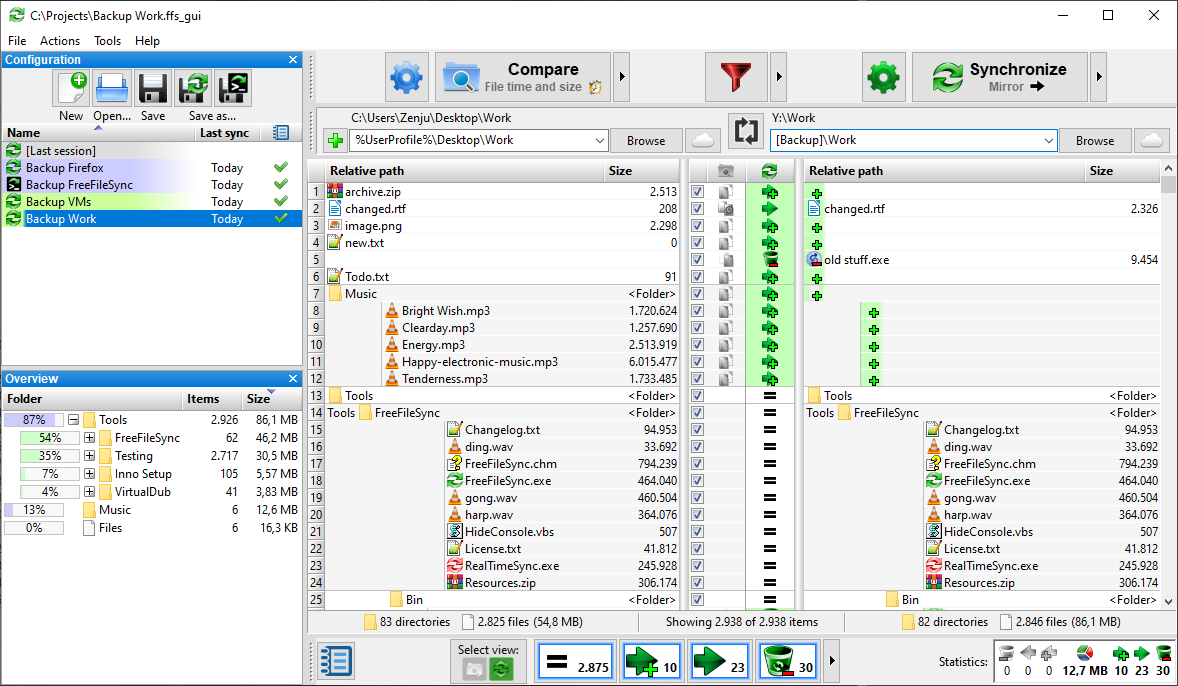
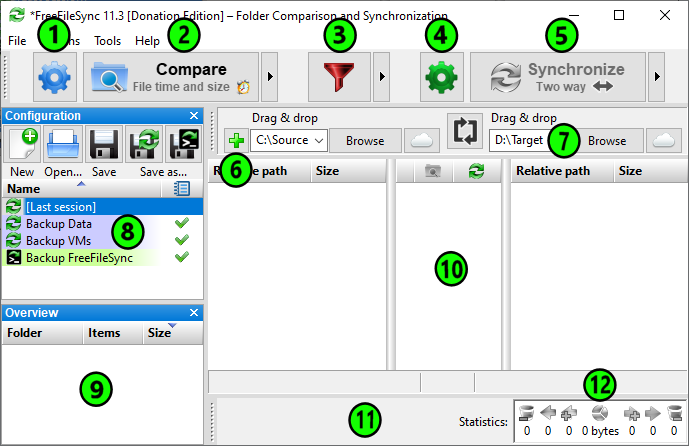
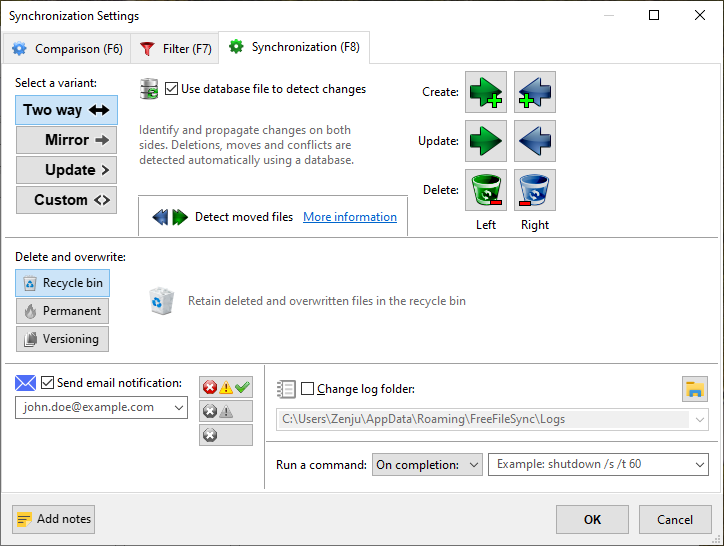
A synchronization job begins by selecting a source and destination, then comparing their contents. FreeFileSync displays differences so users can review what will be copied, updated, or removed before running the job. Two-way synchronization propagates changes in both directions, which is useful when files are edited in either location. Mirror synchronization makes the destination match the source, a practical choice for maintaining a one-directional backup. The comparison process can detect changes using file time and size or file content, depending on the selected settings.
Filters help refine a job by including or excluding files and folders according to names, patterns, sizes, or dates. These rules can keep temporary files or unrelated folders out of a backup. FreeFileSync transfers changed files rather than needlessly copying unchanged data, reducing work on repeat runs. Jobs can be saved as profiles and reused, so recurring folder pairs do not need to be configured each time. A real-time synchronization option can monitor selected folders and respond to changes as they occur.
The program suits personal backups to external drives as well as routine synchronization between work folders, removable storage, and network locations. Users can run saved jobs manually or schedule them through automation, and a command-line interface allows synchronization tasks to be incorporated into scripts and other workflows. Logs and error reports help identify what happened during a run and investigate files that could not be processed. Support for secure transfer protocols is useful when synchronizing with compatible remote storage.
FreeFileSync is developed by ZenJu and distributed as open-source software at no cost. It is available for Windows, macOS, and Linux; the Windows editions support Windows 10 and Windows 11, as well as several earlier Windows releases. The application can work with local folders, external drives, and network shares, making it useful for both occasional copies and repeatable backup routines. Users should review the selected synchronization mode and planned deletions before applying changes, especially when configuring a mirror job.