Batch File Renamer
Welcome to the download page for Batch File Renamer, an exceptional software developed by Algologic IT Solutions. This powerful tool is specifically designed for Windows 10 users, offering a seamless and efficient solution for ...

FRSFileMgr is a Windows file manager focused on files, folders and drives. It can search for files, rename groups in one operation, print directory listings and reverse almost any file or directory change. Bookmarks and toolbar buttons provide quick access to frequently used items, while notes help keep personal context alongside files. It also handles ZIP viewing and extraction, temporary-file cleanup, macros and launching files when removable media is detected.
| Author: | Fourth Ray Software |
| License: | Trialware |
| Price: | $18.95 |
| Released: | Mar 31, 2021 |
| File size: | 4.10 MB |
| Downloads: | 298 |
| Keywords: | zip file manager, folder, User-friendly Interface, folder management software, folder management, Fourth Ray Software, document management, directory listing printer, management, file search utility, FRSFileMgr, x64 software, Windows 10, file manager, File Management, manager, batch file renamer |
| Author URL: | https://www.fourthray.com/ |
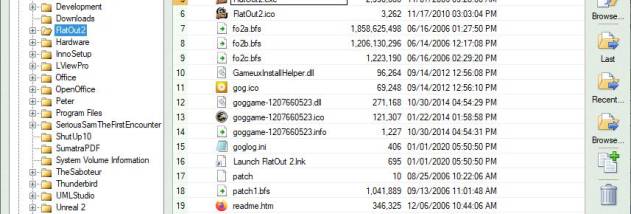

FRSFileMgr is a Windows file manager for people who want a focused workspace for handling files, folders and drives. It concentrates on those core tasks rather than combining them with broader system-management tools. The main window brings key file information into view, while bookmarks and toolbar buttons provide quick access to frequently used locations and items. Its straightforward scope suits everyday file organization as well as repeatable housekeeping tasks.
For renaming batches, the program can apply a group rename in one operation, which is useful for organizing sets of camera images or other similarly named files. File and directory changes can be reversed, with support for undoing almost any change of this kind. This makes the workflow more forgiving when a cleanup or reorganization needs to be rolled back. Search tools help locate files, and directory listings can be printed when a paper or shareable record of a folder's contents is needed.
FRSFileMgr also supports file notes, letting users attach their own reminders or context to individual items. Bookmarks can be saved for files and directories and recalled through dedicated toolbar buttons, reducing the need to browse through the same folder structure repeatedly. The program can show and optionally delete temporary files, and it can open ZIP archives for viewing and extraction. ZIP operations include undo support, so extracted content can be returned to its previous state. Macros are available for automating repetitive actions.
The program can launch files when removable media is detected, which can simplify handling media that is connected regularly. Its Documentation Center provides access to supplementary help from within the application. These features make it useful for users who routinely rename groups of files, review archive contents, clear temporary items, keep track of important folders or repeat the same file-management steps. It is a focused alternative for organizing local files and drives rather than a general-purpose system utility.
FRSFileMgr is trialware and has a native 64-bit edition. It supports Windows 7, Windows 8 and Windows 10, including their 64-bit editions. The interface centers on file and folder operations, with printing, search, bookmarks, notes, macros and reversible changes gathered in one application. Users evaluating it can try its main organization and cleanup workflows before deciding whether it fits their routine.