Global Mapper x64

Global Mapper x64 25.1

GIS mapping, terrain analysis and data conversion

Global Mapper is a GIS for viewing, editing, analyzing and converting geographic data. It combines raster, elevation and vector layers, with tools for measuring distance and area, querying elevations, generating contours, comparing terrain, delineating watersheds and calculating cut-and-fill volumes. Users can reproject, crop and mosaic datasets, create 3D views with imagery draped over terrain, digitize vector features and export maps or GeoPDF files. Scripting and batch conversion help automate repetitive work.

Global Mapper x64 25.1 details

Author:
License: Demo
Price: $499.00
Released:
File size: 280.00 MB
Downloads: 1202
Keywords: x64 data production, Global Mapper x64, terrain analysis, create geospatial maps, x64 geographic, gis batch conversion, terrain analysis tools, raster and elevation data, geographic data converter, Blue Marble Geographics, x64 GIS data, x64 geographical, 3D data processing, x64 geographical data, spatial data management, GIS software, x64 gheography, gis mapping software
Author URL: https://www.bluemarblegeo.com/
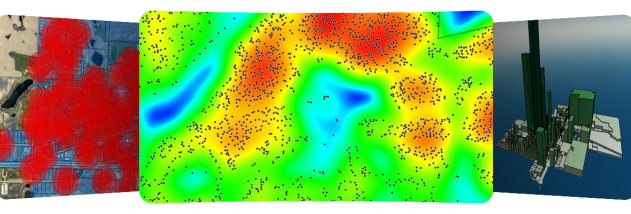
Global Mapper x64 screenshot
Global Mapper x64OtherWindows Vista x64, Windows 7 x64, Windows 8 x64, Windows 10 x64, Windows 11

User Rating: 4.5 (2 votes)

Global Mapper x64 Awards

Windows 10 download editor's pick

Global Mapper x64 for Windows 10 - Full description

Global Mapper is a geographic information system (GIS) for working with raster, elevation, vector and other geospatial data. It is suited to mapping, surveying, terrain analysis and data-preparation workflows where information from different sources needs to be viewed, measured, edited or converted. Data can be loaded as layers, allowing users to combine sources such as a digital elevation model and a scanned topographic map in one project.

The software includes tools for measuring distance and area, querying elevations, adjusting image contrast and blending raster layers. For terrain work, it can generate contours from surface data, compare terrain layers by differencing, delineate watersheds and calculate cut-and-fill volumes. Line-of-sight and viewshed tools analyze visibility from surface data, with Fresnel viewshed analysis also available. These tools support practical checks such as estimating earthwork quantities or examining which areas are visible from a chosen location.

Global Mapper can reproject, crop and merge raster and elevation data. When a source uses a different coordinate system, it can be loaded, transformed to the project projection and saved; cropping and format conversion can be performed during export. Positioning information is used to mosaic datasets into their correct relative locations. The application also supports image rectification and triangulation or gridding of 3D point data. New point, line and area features can be digitized with the mouse, and existing vector features can be edited and exported in supported formats.

For presentation and inspection, loaded elevation and 3D vector data can be viewed in three dimensions. Imagery and vector layers can be draped over a terrain surface, such as an aerial image combined with contour lines. Projects can be printed or exported as high-resolution raster images for reports and presentations. GeoPDF files can be imported, and loaded data can be exported to Geo-enabled PDF files for sharing with people who do not use mapping software. Repetitive operations can be handled through the built-in scripting language or batch conversion tools.

The application provides in-program access to several online mapping sources, including OpenStreetMap street maps, DigitalGlobe imagery, TerraServer-USA imagery and topographic maps, and WMS sources such as global Landsat imagery and elevation datasets. Global Mapper is commercial software offered as a demo. This x64 edition is intended for Windows; the supplied system information names Windows Vista, 7, 8 and 10 in 64-bit editions and Windows 11.

Global Mapper x64 for Windows 10 - Post your review