AC3D
AC3D is a 3D modeling and design program for creating both imaginative objects and technically realistic designs. It serves beginners exploring 3D modeling as well as experienced designers who need tools ...

Google SketchUp Pro is a 3D modeling program for design professionals and other users who need to create, revise and present spatial projects. Draw lines and shapes, then use Push/Pull and other tools to form 3D models. LayOut turns model views into pages with scales, dimensions and annotations, while import and export support helps connect projects with CAD drawings, images and other formats.
| Author: | |
| License: | Shareware |
| Price: | $495.00 |
| Released: | Jan 2, 2020 |
| File size: | 37.00 MB |
| Downloads: | 528 |
| Keywords: | complete, create, google, google sketchup, earth, google earth pro, 3d modeling software, intuitive interface, tool, select, email, x64 architecture, 3D modeling, process, Windows 10 compatible, files, professional design tool, ideas, 3d presentation software, google earth, sketchup, Google SketchUp Pro, sketchup pro, 3d floor plan tool, time, cad drawing software, architectural design software |
| Author URL: | https://www.google.com/ |
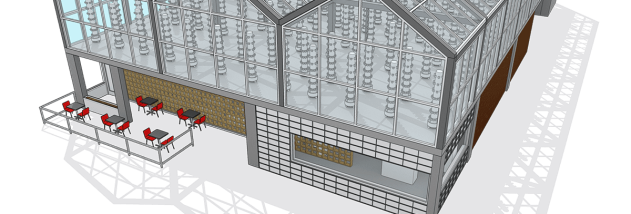

Google SketchUp Pro is a 3D modeling program for professionals and other users who need to develop, revise and present spatial designs. Its drawing-based approach lets users begin with lines and shapes, then form them into three-dimensional objects. The tools are suited to work ranging from architecture, construction and interior design to landscape planning, woodworking, game design and film or stage projects. SketchUp Pro also includes LayOut for preparing presentation and documentation pages from a model.
Modeling starts with drawing basic geometry. Push/Pull turns flat surfaces into volumes, while tools for stretching, copying, rotating and painting help refine a design. Users can build a model from scratch or begin with CAD drawings, terrain data, photographs or hand sketches. Custom attributes and behaviors support models that need more than simple visual geometry. Styles change the model's appearance, from clean technical lines to a looser sketch effect, without changing its underlying shape.
LayOut turns model views into drawing pages for plans, sections, elevations and perspectives. It supports drawing scales, line-weight adjustments, dimensions, callouts and graphics, giving users a way to assemble project documents as well as visual presentations. Model changes can update linked views in LayOut, reducing the need to recreate pages after revisions. Projects can be exported as PDFs, images or CAD files. In SketchUp, saved scenes provide reusable camera views; section planes reveal interior cuts, and labels, fullscreen viewing and flyover animations help explain a design.
The program is designed to fit into workflows that use other drawing and modeling tools. It can import formats including DWG, DXF, 3DS, DAE, KMZ, TIFF, JPEG and PNG, and export a broad range of formats such as those, along with PDF, OBJ, FBX, VRML and video files. This makes it useful for bringing in existing plans or reference images and sharing completed work in formats suited to collaborators and clients. Contextual tips, an Instructor panel and online resources help users learn the tools as they work.
SketchUp Pro is shareware and is intended for 3D design, visualization and project documentation rather than only one professional discipline. Its Windows support includes Windows 10, as well as several earlier Windows releases; the supplied platform information also includes Mac OS X. The software combines modeling and drawing-page production in one workflow, making it practical for users who need both an editable 3D concept and clear project views to communicate it.