Adobe After Effects
... also supports compositing with 3D content through a Cinema 4D workflow. Objects created in Cinema 4D can be brought into an After Effects ...

CINEMA 4D is a 3D creation application for modeling, materials, animation and rendering. Its modular interface can be arranged around different workflows, while timeline and keyframe tools help users build motion over time. Artists use it for motion graphics, visual effects, architectural visualization and other 3D projects, with plugins and third-party integrations available to extend its capabilities. It is trialware for 64-bit Windows 10 and Windows 11.
| Author: | MAXON Computer Inc |
| License: | Trialware |
| Price: | $121.74 |
| Released: | Oct 15, 2026 |
| File size: | 1331.20 MB |
| Downloads: | 429 |
| Keywords: | 3d visual effects, animation creation, 3D modeler, 3D modeling software, advanced rendering, intuitive interface, motion graphics software, creator, 3d rendering software, cinema 4d 3d modeling, animate, create animation, MAXON Computer Inc, architectural visualization, animation, CINEMA 4D, image editor, 3d animation software |
| Author URL: | https://www.maxon.net/ |

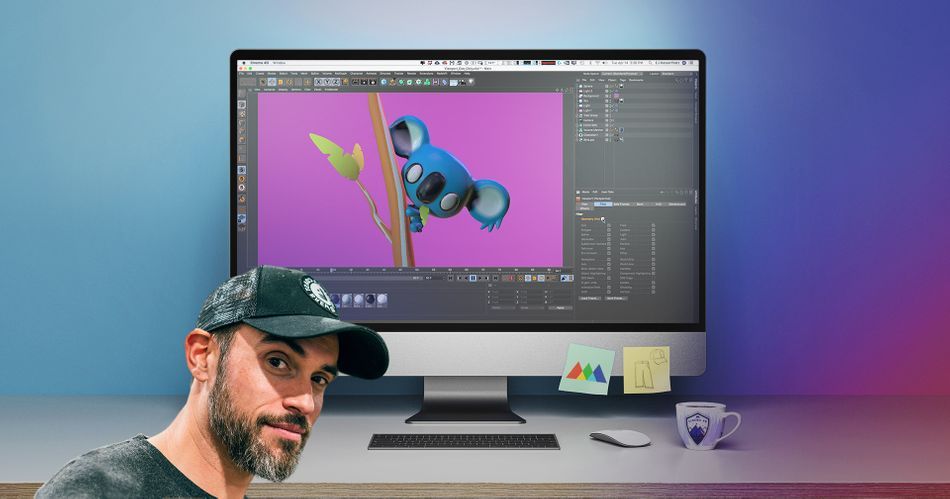

CINEMA 4D is a 3D creation application from MAXON Computer for artists, designers and production teams working with models, animation and rendered imagery. Its modular interface lets users arrange tools around a project and their preferred workflow, making it suitable for both learning 3D fundamentals and handling more involved creative work. The software brings modeling, materials, animation and rendering together in one environment, so a scene can be developed and prepared for output without switching between separate applications for each stage.
Modeling tools are used to build and refine objects, from basic forms to detailed scene elements. Materials and shaders control how surfaces appear, while texturing adds visual detail to models. These parts of a scene can be adjusted as the work progresses, allowing artists to iterate on shape and appearance before producing a final image or animation. The same workspace supports assembling objects into scenes, giving users a place to organize the elements that will be animated or rendered.
For animation, the timeline and keyframe controls provide a way to set changes over time and shape how objects move through a sequence. Users can create motion by defining important positions or properties at selected points, then review and refine the result on the timeline. Rendering turns a completed scene into still images or animation output, with the rendering engine handling the scene's appearance. This workflow serves projects where both the 3D content and its final presentation need to be developed together.
CINEMA 4D is used across motion graphics, visual effects, architectural visualization and other forms of 3D production. Its plugin and third-party integration ecosystem can extend the application for particular tasks or connect it with other creative tools. A customizable, modular setup can also help teams tailor the workspace to recurring jobs, while tutorials and community resources offer ways to learn techniques and troubleshoot common workflow questions.
The software is distributed as trialware and is intended for 64-bit Windows 10 and Windows 11 systems. Its broad feature set makes it relevant to beginners exploring modeling and animation as well as experienced users producing polished 3D work. Project requirements and available hardware can affect how comfortably complex scenes are handled, so users should check that their Windows computer meets the current system requirements before installation.