Hugin Portable
Hugin Portable is an open-source panorama-stitching program for photographers ... by adding the photographs that cover the scene. Hugin can use camera and lens information embedded in ...

Hugin is an open-source panorama stitching application for photographers who want to combine overlapping pictures into a wide or immersive scene. Add images to a project, use camera data from JPEG metadata or enter lens information manually, then align frames with control points. An anchor image and yaw, pitch and roll settings can guide placement, while the Panorama Preview shows adjustments. Choose a projection, refine the composition and stitch the result into a panorama.
| Author: | Sourceforge |
| License: | Open Source |
| Price: | FREE |
| Released: | Apr 6, 2019 |
| File size: | 35.90 MB |
| Downloads: | 294 |
| Keywords: | open source panorama app, panorama editor, image stitching tool, Panorama stitching, photo, Sourceforge software, Open Source, Image alignment, panorama, image, photomosaic software, picture, Multi-platform, Photographic techniques, panorama stitching software, photo panorama maker |
| Author URL: | https://sourceforge.net/ |
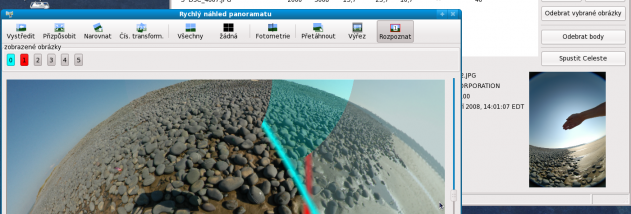

Hugin is an open-source panorama stitching application for photographers who want to combine several images into a wide or immersive scene. It aligns overlapping photographs and turns them into a single panorama, with controls for arranging the source images and adjusting how the finished image is projected. It can work with pictures taken in different orientations, making it useful for landscape panoramas as well as more complex multi-row mosaics.
A project begins by adding the photographs to the Images tab. Hugin can read camera and lens details, including field of view from EXIF data in uncropped JPEGs. When those details are missing or no longer match the images, the camera and lens settings can be entered manually. Control points identify matching details in overlapping pictures; Hugin uses these correspondences to calculate how the images fit together. Users can also choose an anchor image and provide approximate yaw, pitch and roll values to guide placement. The Panorama Preview shows the effect of orientation changes as the project is adjusted.
The alignment and optimization tools help refine image positions and account for lens characteristics. After arranging the panorama, users can select a projection and inspect the composition before stitching the source images into an output file. Cropping and blending options help shape the result and reduce visible transitions between frames. The workflow keeps the source photographs as separate project inputs, so changes to alignment or composition can be made before creating the final panorama.
Hugin is suited to travel and landscape photography, architectural views, interiors and other scenes that exceed the field of view of a single photograph. It can also assemble mosaics from overlapping images. A consistent exposure and white balance across a photo sequence can make blending more uniform; overlapping neighboring shots provide the image detail needed for alignment. A tripod can help in some situations, but the workflow also accommodates handheld photographs and varied camera orientations.
The application is free and open source. This download is a 32-bit Windows build, and the supplied operating-system information includes Windows Vista, Windows 7, Windows 8 and Windows 10. Camera metadata can reduce setup work, while cropped JPEGs and other image formats may require manually entering the field of view. Hugin provides a desktop workflow for assembling and refining panoramas without relying on a single fixed camera position or orientation.