IDA Free
... exceptional software developed by Hex-Rays SA exclusively for Windows 10 users. IDA Free is a powerful and versatile tool designed to assist developers, reverse engineers, ...

IDA Pro is an interactive disassembler and debugger for examining compiled software. It translates machine instructions into readable assembly, maps code paths with graphs, and helps identify library routines, types, and function parameters. Analysts can correct automated findings, use scripts to automate tasks, and extend the workflow with plugins. Its debugger supports local and remote analysis, adding runtime behavior to static inspection.
| Author: | Hex-Rays SA |
| License: | Demo |
| Price: | $589.00 |
| Released: | Dec 15, 2022 |
| File size: | 114.00 MB |
| Downloads: | 2747 |
| Keywords: | disassembler, ida pro disassembler, IDA PRO, remote debugger, local debugger, program disassembler, disassemble, reverse engineering tool, x64 software, Hex-Rays SA, binary analysis software, code, debugger, Windows 10 |
| Author URL: | https://www.hex-rays.com/ |
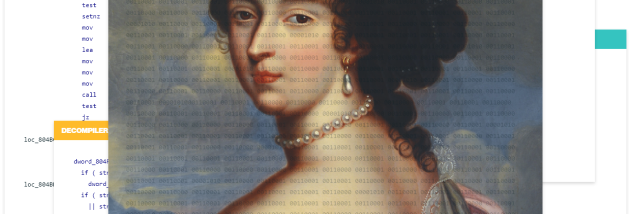

IDA Pro is an interactive disassembler and debugger for software analysts who need to examine compiled programs when source code is unavailable. It converts machine instructions into a more readable representation and helps analysts trace how a program is structured and behaves. Its processor support makes it useful for work involving different types of executable code, while its interactive approach lets an analyst review and correct the tool's interpretations rather than relying on automatic analysis alone.
For static analysis, IDA identifies code and data, presents disassembled instructions, and builds graphs that show possible paths through a function. Library recognition can help distinguish known library routines from program-specific code. Its type system and parameter analysis add context to functions and calls, making it easier to follow how values move through a program. Analysts can navigate between related instructions, inspect the results, and provide hints when the automated analysis needs adjustment.
The debugger adds dynamic analysis by allowing code to be examined while it runs. This can help confirm or challenge conclusions drawn from static inspection, investigate program state, and trace execution. Local debugging is available alongside remote debugging, which supports analysis on a separate target machine; the debugger can therefore fit workflows where the program cannot or should not be run on the analyst's own system. Debugging functionality is provided through the same extensible architecture as other capabilities.
IDA Pro also supports automation and customization. Its built-in scripting language can handle repetitive analysis steps and smaller tasks, while external plugins can add more substantial functions or integrate specialized workflows. Keyboard interaction, scripts, and plugins provide different ways to guide the analysis, from making a quick correction to building tools for a larger investigation. These options are useful to security researchers, reverse engineers, and developers examining unfamiliar or legacy software.
The program is offered as a demo and is available for Windows, including Windows 10 and Windows 11. Its broad processor support and analysis tools make it relevant to tasks such as malware examination, vulnerability research, and understanding compiled applications. Effective use requires familiarity with machine code and debugging concepts; IDA provides analysis aids, but interpretation still depends on the analyst. The Windows download is intended for 64-bit Windows 10 and Windows 11 systems.