ImageJ x64
ImageJ is a Java-based image processing and analysis application ... built-in editor and Java compiler. These capabilities make ImageJ useful for laboratory workflows, microscopy, medical-image review and ...

ImageJ is a Java-based program for processing and analyzing images, particularly useful for scientific and technical work. It handles 8-bit, 16-bit and 32-bit data, opens formats such as TIFF, JPEG, PNG, DICOM and FITS, and supports stacks of related images. Tools measure areas, distances, angles and pixel statistics, while spatial calibration enables real-world measurements. Macros automate repeatable tasks, and Java plugins extend its capabilities.
| Author: | Wayne Rasband |
| License: | Freeware |
| Price: | FREE |
| Released: | Mar 4, 2024 |
| File size: | 77.30 MB |
| Downloads: | 562 |
| Keywords: | image editor, Multi-dimensional imaging, Image processing, Wayne Rasband, imagej macros and plugins, Open-source software, Java-based application, modify, image analysis, imagej image analysis, Scientific image analysis, dicom image viewer, microscopy image analysis, image processor, image measurement software, edit, scientific image processing, change |
| Author URL: | https://imagej.nih.gov/ |
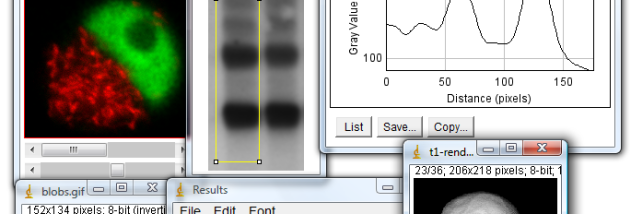

ImageJ is a Java-based image processing and analysis program for researchers, technicians and other users who need to inspect or measure images. It can display, edit, process, save and print grayscale, indexed-color and RGB images in 8-bit, 16-bit and 32-bit data types. Multiple images can remain open at once, with the number limited by available memory, and stacks let users work with a series of related images in one window.
Its analysis tools turn images into measurable data. Users can define selections to calculate area and pixel-value statistics, measure distances and angles, generate density histograms, and plot intensity profiles along lines. Spatial calibration maps pixel dimensions to real-world units such as millimeters, while gray-scale calibration supports measurements based on image intensity. These tools make ImageJ useful for examining microscopy, medical and other scientific imagery where visual inspection alone is not enough.
ImageJ also includes common image-processing operations for adjusting contrast, sharpening, smoothing, detecting edges and applying median filters. Geometric tools scale, rotate and flip images, and magnification can range from 1:32 to 32:1. Processing and analysis remain available at different zoom levels. The program supports formats including TIFF, GIF, JPEG, BMP, PNG, DICOM, FITS, PGM and raw data, with options to save supported image types as TIFF or raw data.
Macros and plugins support repeatable workflows and custom tasks. The command recorder can generate macro code from operations, allowing routine steps to be automated or adapted into tools. Java plugins can add image acquisition, processing or analysis features; ImageJ includes an editor and compiler for developing them. Its open architecture also lets programmers use it as a class library when building image-related applications. This flexibility suits both users who need established analysis tools and developers who want to tailor workflows to particular image data.
ImageJ is freeware and its source code is in the public domain. It is written in Java and requires a Java virtual machine; the supplied Windows download is intended for Windows 10 and Windows 11. Processing speed and the number of images that can be open depend on the computer and available memory, especially when working with large images or stacks.