Inkscape Automation Tools
... into the world of automated graphic design with Inkscape Automation Tools and let your creativity run wild. This software is available for download on our ...

Inkscape is a free, open-source vector graphics editor for creating illustrations, diagrams, icons, and other scalable artwork. It works with the SVG standard and includes tools for editing nodes, building complex paths, arranging objects in layers, and applying gradients, patterns, and transparency. It can trace bitmaps, import common image and vector formats, and export PNG and other vector graphics.
| Author: | Inkscape |
| License: | Open Source |
| Price: | FREE |
| Released: | Nov 25, 2023 |
| File size: | 82.20 MB |
| Downloads: | 495 |
| Keywords: | open source, SVG file, vector graphics editor, Illustrator, Drawing tool, vector illustration tool, graphic editor, svg editor, CorelDraw, graphic tool, Graphic design application, Vector graphics editor, open source graphics editor, Scalable Vector Graphics (SVG), Open-source software, Cross-platform compatibility, open source software, bitmap to vector, svg drawing software |
| Author URL: | http://www.inkscape.org/?lang=en&css=css/base.css |
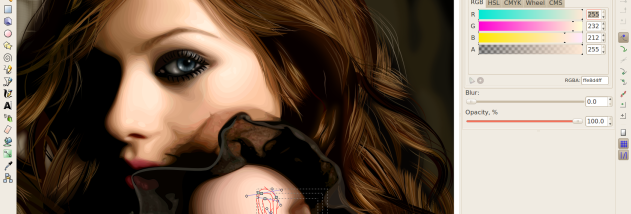



Inkscape is an open-source vector graphics editor for illustrators, designers, and anyone creating artwork that needs to remain sharp at different sizes. It uses Scalable Vector Graphics (SVG), a web standard based on XML and CSS, and offers drawing and editing tools for building illustrations, diagrams, icons, and other graphics. Its interface brings common drawing operations together while providing detailed controls for users working directly with paths and shapes.
The editor supports shapes, paths, text, gradients, patterns, transformations, grouping, markers, clones, and alpha blending. Nodes can be adjusted to refine curves and outlines, while path operations combine, divide, or otherwise modify shapes to create more complex forms. Layers help organize artwork into manageable parts, and text can be placed along a path or arranged as flowed text. These tools support both freeform illustration and precise editing of existing SVG documents.
For work that begins with a scanned drawing or photograph, Inkscape can trace bitmap images into vector paths. It imports formats including PostScript, EPS, JPEG, PNG, and TIFF, allowing source images and artwork from other applications to be brought into a project. Finished work can be exported as PNG or saved in vector-based formats. Creative Commons metadata can be included in documents, and direct XML editing is available for users who need to inspect or change the underlying SVG structure.
Inkscape suits tasks such as making logos, icons, posters, diagrams, and web graphics, as well as preparing scalable illustrations for print or screen. SVG files are useful when artwork needs to be resized without the pixelation associated with raster images, or when individual objects must remain editable. Bitmap tracing offers a way to convert suitable raster artwork into editable paths, while layers and grouping help keep larger compositions organized.
The program is free and open source, and its community-oriented development supports both users and contributors. Inkscape is available for Windows 10 and Windows 11. Its emphasis on SVG standards makes it a practical choice for people who want editable vector files and compatibility with workflows built around that format.