KLS Backup Professional for Windows 10 - Full description
KLS Backup Professional is a Windows utility for creating and managing backups of files and folders. It is intended for individuals who want to protect important documents and other data with repeatable backup tasks rather than copying files manually each time. Its task-based setup lets users choose what to back up and configure how each job should run, with wizards available to guide setup and introduce features.
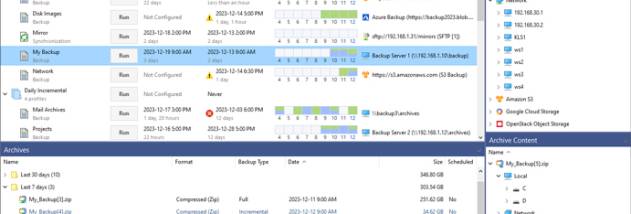
Each backup task can be adjusted for its purpose, including its task type, storage destination and security settings. Scheduling lets a job run routinely, while pre- and post-actions can be configured to accompany the backup process. Logs provide a record of task activity, helping users review whether jobs completed and investigate problems. These controls are useful for setting up recurring protection without having to remember to start every backup by hand.
The program can store backups with cloud services and FTP destinations, making it possible to keep copies away from the computer being backed up. It also supports compression and synchronization, giving users options for managing backup size and keeping selected data aligned across locations. Restore functions provide a way to recover files from a backup when originals are lost or need to be returned to an earlier saved state. The interface groups settings and destinations in a menu-based layout, and task wizards help make configuration more approachable.
KLS Backup Professional can suit home users who want scheduled copies of personal files, as well as people managing several folders or destinations through separate tasks. A typical workflow is to select the data, choose where to store it, set the relevant options and schedule, then check the logs after a run. Cloud and FTP support can help diversify where copies are kept, while restoration gives the backup a practical role in recovery as well as routine storage.
The software is trialware and runs on Windows 10 and Windows 11, including 32-bit and 64-bit systems, as well as Windows Server 2025. Cloud destinations require the appropriate account credentials. Its configurable tasks offer more control than a basic manual copy, though users should verify that destinations are accessible and that completed backups contain the files needed for recovery.