Kodu for Windows 10 - Full description
Kodu is a visual programming environment for creating and playing games, aimed at children and beginners as well as anyone who wants to explore game design without starting with conventional code. Its icon-based language turns programming into arranging rules: each program contains pages, rules are made from conditions and actions, and conditions are evaluated at the same time. This structure lets creators focus on how a game world behaves rather than on programming syntax.
The language uses ideas drawn from games and the physical world. Rules can use concepts such as vision, hearing, time, color and collision to determine what characters do. For example, a creator can build behavior around what a character sees or hears, or make an action depend on a collision. Conditions and actions are assembled from icons, so the logic can be inspected and changed directly in the visual interface. Although Kodu is not a general-purpose programming language, its game-focused building blocks can express more involved behavior in an accessible form.
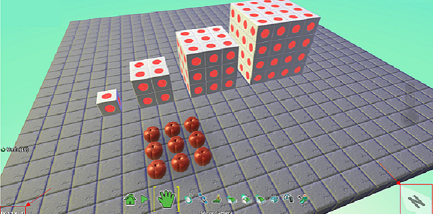
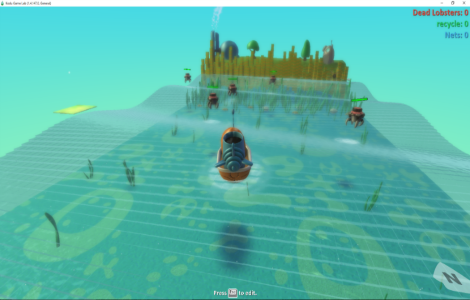
Kodu combines programming with tools for shaping a playable world. The interactive terrain editor creates environments of different shapes and sizes, while bridge and path building tools help lay out routes and connections. The project includes 20 characters with distinct abilities, giving creators different starting points for designing interactions and objectives. Because the environment supports designing, building and playing games, a project can be tested as it develops; changes to terrain, rules or character behavior can be experienced in the game rather than only viewed as code.
The tools suit classroom activities, introductory programming practice and personal game-making projects. Beginners can experiment with cause and effect by changing a rule and observing its result, while more experienced designers can combine conditions, actions and world features to develop game concepts. Kodu is focused on interactive games rather than general software, making it a practical way to learn basic logic through a creative project. Its controller-based design also reflects the program's origins as an environment that can be used with an Xbox 360 game controller.
Kodu is open source and available for Windows PCs, including Windows 10 and Windows 11. The Windows environment requires Microsoft .NET Framework 4.0 and XNA Framework Redistributable 4.0. The program's core activities are building terrain, arranging game rules, testing character behavior and refining a playable creation.