Luminance HDR Portable
Luminance HDR Portable is an open-source application for creating and ... of the same scene, then adjust the resulting HDR image for viewing or further editing. Its portable ...

Luminance HDR is an open-source tool for creating and editing high dynamic range images. It combines photographs of the same scene taken at different exposures, then lets users save or tone map the result. The program reads and writes formats including OpenEXR, Radiance RGBE, TIFF and PFS, and supports JPEG, PNG and RAW image inputs.
| Author: | Luminance HDR Team |
| License: | Open Source |
| Price: | FREE |
| Released: | Jun 11, 2019 |
| File size: | 49.60 MB |
| Downloads: | 395 |
| Keywords: | HDR image creator, Open Source, High Dynamic Range, Multiple Exposure, Tone Mapping, raw to hdr, openexr image editor, hdr tone mapping, combine exposure bracket photos, Photo Editing, edit HDR image, creator, hdr image creator, create HDR image, radiance rgbe editor, create, generate, Image Processing |
| Author URL: | http://qtpfsgui.sourceforge.net/ |
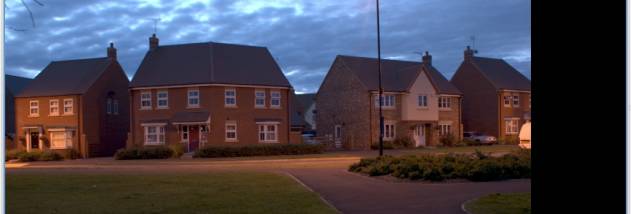

Luminance HDR is an open-source application for creating and working with high dynamic range images. It is intended for photographers and other image-makers who capture the same scene at different exposure settings and want to combine those photographs into an HDR file. Its workflow brings image loading, HDR generation, tone mapping and common image adjustments into one desktop program.
To create an HDR image, users select a set of photographs of the same scene, typically saved as JPEG, TIFF or RAW, and captured at different exposures. Luminance HDR combines the set into an HDR result that can be saved for later editing or processing. The program can load and save HDR images in several formats, including OpenEXR, Radiance RGBE, TIFF variants and its native PFS format. This lets users work with HDR files from different applications as well as create new ones from exposure-bracketed photographs.
Tone mapping converts HDR image data into an image suitable for viewing on conventional displays. Luminance HDR includes tone-mapping tools for this step, allowing photographers to prepare an image for presentation or further use. Its editing controls also include rotation, resizing and cropping, which help with basic adjustments after an image has been created or opened. The program can copy EXIF metadata between sets of images, a useful step when preparing related photographs for the HDR workflow.
Alongside HDR formats, the application reads common low dynamic range files such as JPEG, PNG, PPM, PBM and 8-bit TIFF. It also supports 16-bit and 32-bit floating-point TIFF, LogLuv TIFF and a range of RAW formats. These options make it possible to use ordinary camera images as input while retaining specialized formats for HDR work. Internationalization support provides translated interface options for users in different language environments.
Luminance HDR is available for Windows and is open source. Its main use is combining differently exposed images of a single scene, then tone mapping and making basic adjustments to the resulting HDR image. Photographers can also use it to open, save, resize, rotate or crop supported HDR files without first creating a new exposure set.