Portable PicPick
... A delay timer can be used when a capture needs to wait for a menu, tooltip, or ... screen element to appear. Once an image is captured, the built-in editor provides practical annotation tools: text, ...

MadCap Capture combines screen capture with image editing for documentation, training materials, and other visual content. It can grab the full screen, an active window, a selected region, or a shape-defined area, then lets users modify and enhance the image. Multiple documents can remain open together, while floating or dockable panes, resizable dialogs, and saved workspace layouts help organize image work. It also supports XML files and Unicode for left-to-right languages.
| Author: | MadCap Software, Inc. |
| License: | Trialware |
| Price: | $39.00 |
| Released: | May 6, 2019 |
| File size: | 96.40 MB |
| Downloads: | 303 |
| Keywords: | grabber, modify, image editing, full screen capture, screenshot editor, documentation screenshots, capture active window, user interface customization, MadCap Capture, image modifier, capture image, capture, technical documentation, image capture tool, photo enhancer, screenshot tool, content design, screen capture software |
| Author URL: | http://www.madcapsoftware.com/ |
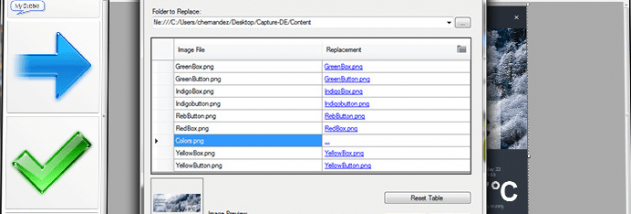

MadCap Capture is a screen-capture and image-editing application for people who create software documentation, training materials, or other visual content. It can capture what is displayed on a computer screen and provide tools to modify and enhance the resulting image. As part of MadCap Software's documentation suite, it also supports workflows that use XML-based content and Unicode text for left-to-right languages.
Capture offers several ways to select screen content. Full-screen capture records the entire display, while an active-window capture focuses on a particular open window. Region capture is useful for selecting a rectangular portion of the screen, and Shape Area capture provides another way to define the portion to capture. Choosing the appropriate capture mode helps keep documentation images focused on the relevant interface or activity. After capturing an image, users can work on it in the application rather than treating the capture as a separate, uneditable snapshot.
The workspace is designed to accommodate multiple open documents at once. Its window panes and editors can be moved around the interface or docked along its edges, allowing the layout to be arranged around a particular task. Dialogs and drop-down menus can be resized, and custom workspace layouts can be saved for reuse. These options are useful for switching between image work and documentation tasks without repeatedly rearranging the interface.
The program is suited to preparing screenshots for help systems, instructional documents, presentations, and other materials where clear depictions of on-screen software are needed. Different capture modes support both broad views, such as an entire desktop, and tighter views of a window or selected area. Image modification features can be used to refine captured visuals before they are incorporated into a larger content workflow. Multiple documents and adjustable panes also support projects that involve preparing several related images.
MadCap Capture is commercial trialware from MadCap Software and is designed to work alongside the company's XML-oriented authoring tools. The available operating-system information lists older Windows releases, from Windows XP through Windows 8; it does not establish compatibility with Windows 10 or Windows 11. Users considering it for a current PC should check compatibility before installation.