Duplicate & Same Files Searcher
Duplicate & Same Files Searcher is a Windows utility ... is suited to users who want to inspect duplicate files across selected disks or folders and decide ...

NoClone Home Edition scans local hard drives for exact duplicate files, matching file contents even when names differ. Its byte-by-byte comparison works across file types, and searches can also find same-name, empty and truncated files. Preview results and inspect properties before cleanup, mark copies by folder, date or size, save sessions, and export results to CSV. It is trialware; stated Windows support covers XP through Windows 8.
| Author: | Reasonable Software House Limited |
| License: | Trialware |
| Price: | $14.95 |
| Released: | Aug 13, 2014 |
| File size: | 5.80 MB |
| Downloads: | 355 |
| Keywords: | find empty files, recover disk space, compare file contents, NoClone Home Edition, Cleaner, find identical files, Reasonable Software House Limited, Duplicate, file comparison tool, remove duplicate files, duplicate file finder, Remove Dupe, Dupe, disk space management, Duplicate Finder, Find Duplicate, Duplicate file finder, Windows 10 compatible |
| Author URL: | http://noclone.net/ |
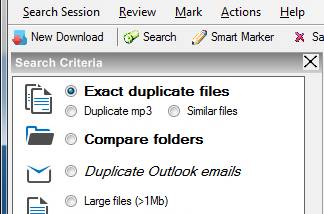

NoClone Home Edition is a duplicate-file finder for people who want to reclaim disk space and keep local folders easier to manage. It scans hard drives for files with matching contents, even when their names differ, and can also identify matching names, empty files and truncated files. This can help locate redundant downloads, copies left by backups and incomplete files that are difficult to spot by browsing folders manually.
The program checks file contents byte by byte rather than relying on CRC or MD5 values. This provides a direct comparison for finding exact duplicates across file types, including pictures, video, audio, Office documents, PDFs and DLLs. Results can be reviewed with file previews, properties and version information before deciding what to remove. NoClone also offers a fuzzy-match search for files with small differences, which can help uncover near-duplicates or transmission errors; such matches should be checked carefully before cleanup.
Search results can be marked using criteria such as date, version, size, folder and filename patterns, helping distinguish which copy to keep. The software can save a search session and export result lists to CSV for later review. It can also replace duplicate files with NTFS hard links or shortcuts, where supported, instead of simply removing every extra copy. These options make it possible to tailor cleanup to how files are organized and used.
NoClone is useful for sorting crowded download folders, checking project directories for repeated source files, reducing redundant data before backups and recovering space on storage-limited computers. Finding identical files regardless of their names is particularly helpful when several copies have been collected from different folders or sources. Empty and truncated-file searches provide additional ways to identify clutter, while previewing and inspecting properties helps reduce the risk of deleting the wrong item.
The Home Edition searches local hard drives; network searching is not included in this edition. NoClone is trialware. Its stated Windows support covers Windows XP through Windows 8, so compatibility with Windows 10 and Windows 11 should be confirmed before installation. Review matches before deletion, especially when using fuzzy matching or when files are part of an application or an active project.