PDQ Inventory
PDQ Inventory by Admin Arsenal is a powerful software ... devices across their organization. With its intuitive interface, PDQ Inventory simplifies the process of gathering detailed information ...

PDQ Deploy helps IT administrators and managed service providers install software across multiple Windows computers from a central interface. It supports MSI, MSP, EXE, and script-based packages, with options to schedule deployments and monitor their progress. Administrators can use pre-built packages for popular applications or prepare custom tasks. Integration with PDQ Inventory helps target machines according to their hardware and installed software, while logs and reports provide a record of deployment results.
| Author: | Admin Arsenal |
| License: | Trialware |
| Price: | $1950.00 |
| Released: | Oct 1, 2026 |
| File size: | 102.00 MB |
| Downloads: | 235 |
| Keywords: | automated software updates, network software installer, remote install, deploy scripts to computers, install, software deployment, windows package deployment, software deployment tool, PDQ Deploy, x64 architecture, PDQ.com Corporation, deployment, software, remote software installation, Windows 10 compatibility, install software |
| Author URL: | https://www.pdq.com/pdq-inventory/ |

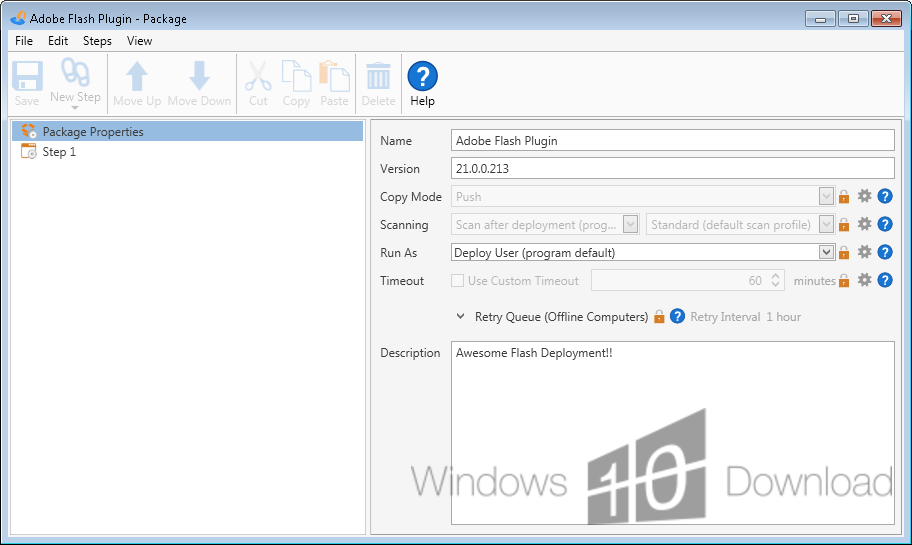



PDQ Deploy is a Windows software deployment tool for IT administrators and managed service providers who need to install applications, updates, and scripts across multiple networked computers. Instead of configuring each endpoint manually, administrators can prepare a deployment and run it against selected machines, helping standardize software installation across an organization.
Deployment packages can contain MSI, MSP, EXE, or script-based installers, so the tool can handle a range of common software distribution tasks as well as custom administrative actions. Administrators can create packages, choose target computers, and start deployments from a central interface. Tasks can also be scheduled to run at a chosen time, which is useful for routine updates or installations planned outside busy working hours. The dashboard provides a view of deployment activity, while logs and reports help identify outcomes and troubleshoot failures.
PDQ Deploy can work with PDQ Inventory to select target computers using their hardware and software information. This makes it possible to direct an update to machines that need it rather than deploying the same package indiscriminately across the network. A library of pre-built packages for popular applications can reduce the preparation needed for common installations; administrators can also use custom packages for organization-specific software or scripts. Encrypted credentials support the handling of account details used during deployment.
Typical tasks include distributing business applications, applying software updates, running scripts on multiple computers, and maintaining consistent installations across office or remote endpoints. Scheduled deployments help coordinate routine work, while deployment logs provide a record of activity that administrators can review when checking which machines received a package. These workflows are intended for managed Windows environments rather than individual home-PC software installation.
PDQ Deploy is trialware and is designed for use with Windows computers and Windows Server environments. Supported systems include Windows 10 and Windows 11, along with Windows Server 2016, 2019, 2022, and 2025. The tool is most useful where administrators have network access to the target machines and need a repeatable way to distribute software or execute maintenance tasks. Integration with PDQ Inventory is available for organizations using that companion product.