Photomatix Pro /64-bit/
Photomatix Pro is an HDR and exposure-blending program for photographers ... masking and layer work in a general-purpose editor. Photomatix Pro supports automatic blending and lets users compare processing ...

Photomatix Pro is HDRsoft's photo-editing software for combining photographs taken at different exposure levels. It uses tone mapping or exposure fusion to create realistic or stylized HDR images, with presets and adjustable controls for shaping the result. Ghost removal helps reduce artifacts from movement between frames, while noise reduction and chromatic aberration correction address common image defects. Batch processing supports larger photo sets.
| Author: | HDRsoft |
| License: | Demo |
| Price: | $99.00 |
| Released: | Feb 20, 2026 |
| File size: | 42.50 MB |
| Downloads: | 260 |
| Keywords: | Tone Mapping, HDR Imaging, exposure fusion, hdr photo software, hdr image merger, enhancer, photo panorama, High Dynamic Range Photography, photo, Exposure Fusion, Batch Processing, Standalone Software, panorama, ghost removal photography, enhance detail, batch photo processing, exposure blending, tone mapping software |
| Author URL: | https://www.hdrsoft.com/download/pme.html |

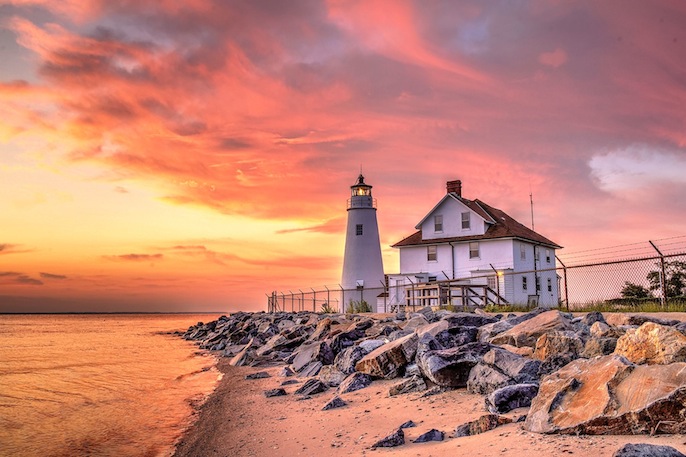


Photomatix Pro is HDRsoft's photo-editing software for photographers who want to combine exposures and control the tonal range of an image. It is designed for scenes where a single photograph may lose detail in bright highlights or dark shadows, such as interiors with bright windows, landscapes at sunset, or architecture in mixed light. The program can merge a series of photographs captured at different exposure levels into one image, bringing detail from the source frames together for further editing.
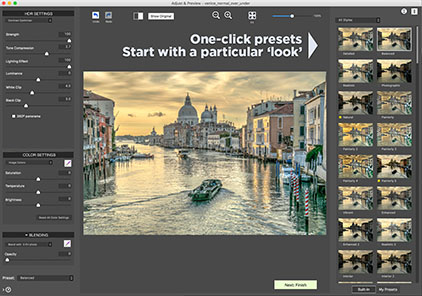
After merging, photographers can choose between tone mapping and exposure fusion to shape the result. Tone mapping adjusts the HDR image's tonal range, with options for a realistic rendering or a more strongly stylized look. Exposure fusion combines parts of the source exposures without first producing a tone-mapped HDR image. Presets provide starting points for these approaches; their settings can then be adjusted to suit the scene. A real-time preview shows the effect of changes, helping users compare treatments and refine the image before saving it.
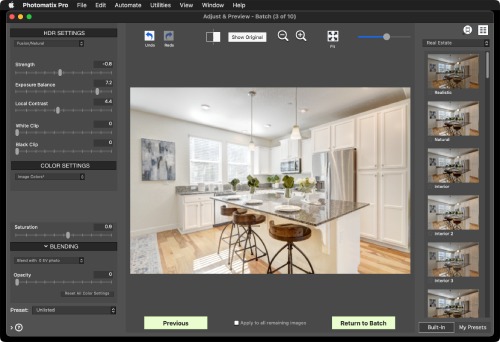
The workflow also includes tools for addressing common problems in bracketed photographs. Ghost removal helps reduce visible artifacts from objects that moved between exposures, while noise reduction and chromatic aberration correction can clean up image defects. Support for RAW files lets photographers work with camera originals, alongside other supported image formats. Batch processing applies work to multiple sets of photographs, which can be useful when handling a large shoot or processing a consistent group of bracketed scenes.
Photomatix Pro is suited to landscape and real-estate photographers, architecture specialists, and hobbyists exploring HDR techniques. It can be used to retain window and room detail in an interior, balance a bright sky against a darker foreground, or create a deliberately dramatic interpretation of a scene. Its combination of merge, preview, and adjustment tools keeps the HDR process focused in one application, from assembling exposures to refining the final appearance.
The software is distributed as a demo, so users can evaluate it before deciding whether it fits their editing workflow. It is available for Windows 10 and Windows 11, with support also listed for earlier Windows releases. HDRsoft also makes Photomatix Pro for macOS, but this listing is for the Windows edition. A set of images taken at different exposures provides the source material for its main HDR merging workflow.