Play-Fi for Windows 10 - Full description
Play-Fi is DTS's wireless audio platform for controlling music playback on compatible speakers and other audio devices over a home Wi-Fi network. It is intended for listeners who want to play audio in more than one room, use different supported speaker brands together, or add wireless audio to a home entertainment setup. Rather than connecting speakers directly to the computer, Play-Fi uses the network to send audio to compatible devices.
The platform brings together music from online streaming services, internet radio and personal music libraries. Users can select a source and track, then direct playback to one speaker or a group of rooms. Multi-room playback can synchronize compatible devices so the same audio plays throughout the home; separate room groups also make it possible to choose where music is heard. Play-Fi supports lossless audio formats, preserving more of the source recording when the service, file and receiving device support them.
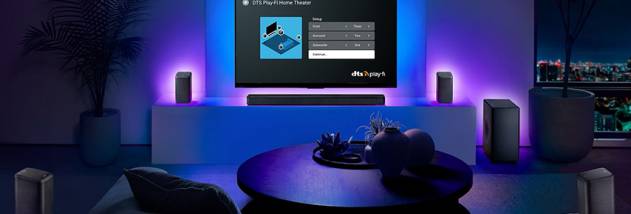
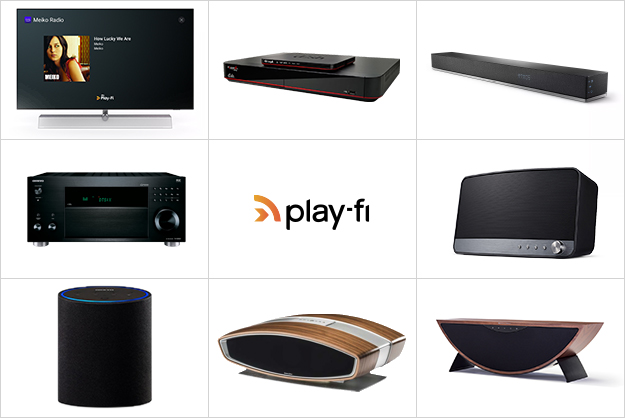
Playback and device management are handled through Play-Fi control software and apps. Controls allow users to choose speakers, manage playback and adjust settings without operating each speaker individually. The system can combine compatible products from multiple manufacturers, giving households more flexibility than an audio setup tied to one speaker brand. Voice control is also available through supported smart assistants. For home theater, compatible Play-Fi equipment can be configured for wireless surround sound, reducing the need to run speaker cables across a room.
Typical uses include playing music from a personal library in a living room, sending internet radio to a kitchen speaker, or synchronizing audio across several rooms while hosting guests. It can also serve as part of a wireless home theater arrangement. The computer software is one control point in a wider system: the intended setup includes a Wi-Fi network and compatible Play-Fi audio hardware, and available sources and functions depend on the services and devices in use. Play-Fi also has mobile apps for iOS and Android, which provide additional ways to control playback.
Play-Fi is distributed as shareware. The supplied Windows platform information includes Windows 7, Windows 8 and Windows 10 in both 32-bit and 64-bit editions; Windows 11 compatibility is not established here. The computer software is most useful in homes that already have, or plan to use, compatible Play-Fi speakers or audio equipment, since ordinary speakers without Play-Fi support cannot receive its wireless streams directly.