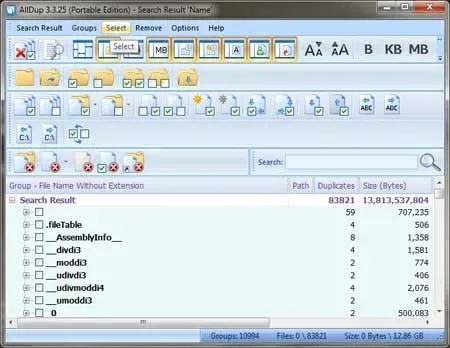
Portable AllDup for Windows 10 - Full description
Portable AllDup is a duplicate-file finder for people who want to review and manage repeated files across their storage. It can run from a USB drive or other portable storage without installation, making it useful for checking files on different computers as well as keeping a personal collection organized. Searches cover documents, images, music, videos and other file types, and can identify matching content even when filenames differ.
Searches can be tailored with criteria such as file size, date and file attributes, helping narrow results in large folders or focus on files with particular properties. AllDup offers multiple comparison methods, including byte-by-byte comparison and CRC32 checksums. These options let users choose how files are compared when looking for exact duplicates. The results are presented for review before any changes are made, so groups of matching files can be checked rather than handled blindly.
After reviewing a search, users can delete, move or rename duplicates, and preview files before acting. This makes it easier to retain a preferred copy while clearing or relocating others. The program can also search inside archives, supports Unicode characters, and can export search results for later reference or analysis. A detailed action log records file-management operations, which is useful when checking what was changed during a cleanup.
AllDup can help reduce redundant files in photo libraries, music collections, document folders and video archives. It is also suited to users who routinely move data between drives or computers and want to locate copies that have accumulated over time. Search criteria and result review provide a way to handle collections methodically, while the option to preview files helps inform decisions before deletion or relocation.
The program is freeware and is designed for Windows. Its portable operation avoids a conventional installation, and the application can be carried on removable storage. It supports multiple interface languages, including English, German, French, Spanish, Dutch, Russian, Ukrainian and Chinese, among others. Because its actions can remove or move files, reviewing matches and previews before applying changes is a practical safeguard.