DMDE - DM Disk Editor and Data Recovery
DMDE is a disk editor and data recovery utility for users who ... sectors or superblocks, including backup copies where available. The disk editor provides a way to view and edit ...

Portable cdrtfe is a Windows tool for burning CDs, DVDs and Blu-ray discs, designed to run from a USB drive without a standard installation. It writes data and audio discs, burns ISO images, erases rewritable media and creates bootable discs. Multisession support lets users add data in later sessions. Audio projects accept MP3, WAV, FLAC and OGG files, with track ordering and CD-Text options. The open-source program also includes cdrtools utilities for command-line control.
| Author: | Oliver Valencia |
| License: | Open Source |
| Price: | FREE |
| Released: | Sep 14, 2024 |
| File size: | 7.00 MB |
| Downloads: | 441 |
| Keywords: | audio CD creator, Portable cdrtfe, Windows 10 compatible, Sourceforge, portable, disk, blu-ray burning software, disk burner, erase rewritable disc, DVD writter, open-source application, burn iso image, portable disc burner, multi-language support, create bootable disc, burn, burner, burn audio cd, disc burning software, portable burner |
| Author URL: | https://cdrtfe.sourceforge.io/cdrtfe/index_en.html |


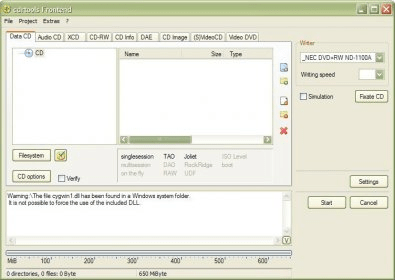

Portable cdrtfe is a Windows application for burning CDs, DVDs and Blu-ray discs. Its portable format lets it run from a USB drive without a conventional installation, making it useful for technicians and other users who need disc-writing tools on more than one computer. A tabbed interface separates common tasks, so users can choose a disc operation and configure it in the relevant workspace.
The program handles data discs and audio CDs, writes ISO images, and erases rewritable media. It supports CD-R and CD-RW, DVD-R and DVD+R, DVD-RW and DVD+RW, as well as BD-R and BD-RE. For multisession discs, additional files can be written in later sessions rather than placing all the data on the disc at once. Bootable-disc creation provides another option for preparing recovery or installation media.
Audio CD projects can be assembled from MP3, WAV, FLAC and OGG files. Users can arrange tracks in the desired order and add CD-Text, where supported, so compatible players can display track information. The included cdrtools command-line utilities extend the available control for users who prefer scripting or need to configure more specialized burning operations.
Typical uses include archiving files to optical media, making audio CDs, writing ISO images, preparing bootable discs and clearing rewritable discs for reuse. Running the application from removable storage can also be convenient when helping with computer maintenance or working on systems where installing software is not practical. Disc-writing results depend on the computer's optical drive and the media being used.
Portable cdrtfe is open-source software and is available at no cost. It runs on Windows, including Windows 10 and Windows 11, and supports both 32-bit and 64-bit systems where applicable. Its portable design avoids a standard installation, while its broad media support suits both occasional disc burning and more involved optical-disc workflows.