Portable NexusFile for Windows 10 - Full description
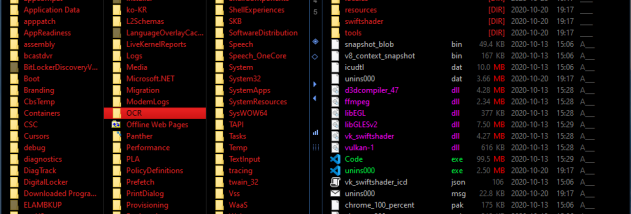
Portable NexusFile is a freeware file manager for people who want an alternative to Windows Explorer for browsing and organizing files. Its dual-panel layout displays two folders at once, making it easier to compare contents and copy or move items between locations. Tabs, favorite folders, working folders and a smart address bar provide several ways to reach frequently used directories and switch between tasks.
The program handles everyday file operations, including copying, moving, cutting, pasting, deleting, shredding and renaming files. It can also change file attributes and timestamps. For batch work, its advanced rename tools apply options to multiple files or directories at once, reducing repetitive edits. Keyboard shortcuts cover most functions, so users can perform common actions without navigating menus; the interface can also be customized with different colors, fonts and skins.
NexusFile includes tools for working with archives and large files. It can browse and extract ZIP, ARJ, RAR and ACE archives, and create ZIP files. Its split and join functions divide a large file into smaller parts or combine parts back into one file; text files can also be merged. Folder comparison helps identify differences between two directories, while file-list export saves folder contents in several formats. Unicode filenames are supported, and basic FTP functions provide access to file transfers.
Additional utilities include adding descriptions to personal files and folders and clearing the Recycle Bin or temporary files. Together, these features suit routine file organization, batch renaming, archive handling, folder checks and simple file-transfer tasks. The two-pane view and shortcut-driven controls are particularly useful for people who regularly move groups of files or work across multiple directories.
Portable NexusFile is freeware and is intended for Windows systems, with support listed through Windows 10, including 64-bit editions where applicable. Its portable edition is suited to users who prefer a file manager that can be carried between compatible systems. The program is a standalone alternative for file management rather than a replacement for specialized backup, synchronization or advanced FTP software.