Plain Sight
... working. The editor is intended for both individual coding and team projects, with tools for editing, reviewing ... and Git support as part of a personal coding workflow, while a team can use sharing features ...

Qoder is an AI coding application that can analyze an entire project, plan a requested change and carry out the work in stages. Its Quest mode breaks tasks into steps and displays progress in the workspace. It can consider code, configuration files, directories and visual assets, generate a project wiki, and add capabilities through an extension marketplace. Developers should review and test its output.
| Author: | Qoder |
| License: | Trialware |
| Price: | $20.00 |
| Released: | Oct 13, 2026 |
| File size: | 188.00 MB |
| Downloads: | 14 |
| Keywords: | ai coding agent, source code, codebase documentation, task automation, download Qoder, coding task automation, automation, Qoder free download, ai coding assistant, code assistant, Qoder, project code analysis, automated code generation, coding, AI coding |
| Author URL: | https://qoder.com/ |



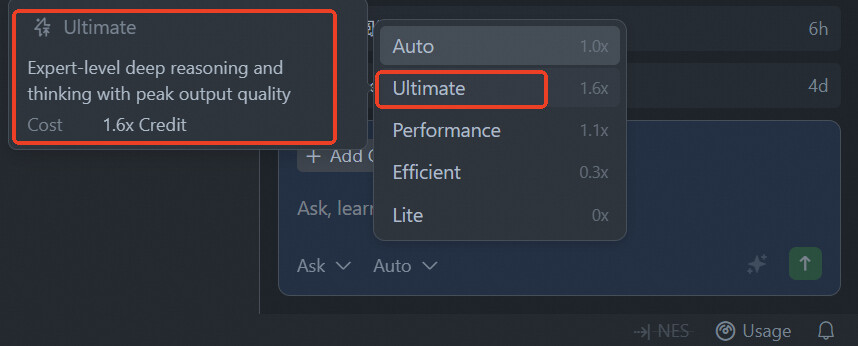
Qoder is an AI-assisted coding application for developers who want help with project-level work rather than only code completion. It can inspect an existing project, interpret a task, plan a sequence of changes and carry them out in stages. Its editor-style workspace keeps the task and the project activity visible together, giving developers a place to direct the work and review what the AI is doing.
Quest mode is Qoder's task workflow. A developer enters an objective, and the AI examines the project before breaking the work into smaller steps. A stage marker shows the sequence as it proceeds, while the main workspace displays analysis and generated code. This staged approach can make larger requests easier to follow than a single block of generated output: developers can see how the work is organized and inspect the changes as they are made.
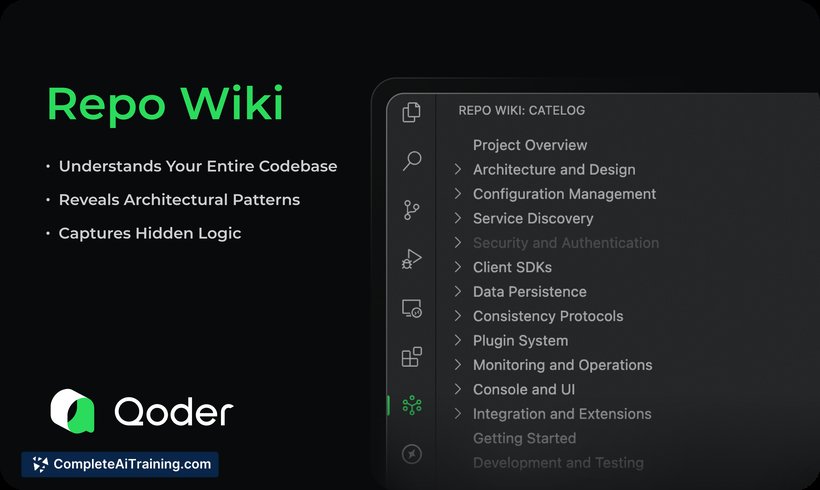
Project analysis can include source code, configuration files, directories, images, diagrams and other assets. Considering those materials together helps Qoder work with the surrounding structure instead of treating a code snippet in isolation. After a project is complete, it can also generate a wiki covering its architecture, design decisions and connections between components. An extension marketplace provides additional tools and functions that can be installed to suit different tasks.
Qoder is intended for coding workflows such as understanding an unfamiliar codebase, planning and implementing changes, and documenting how a project is put together. Its project-wide approach may also help when a task involves several files or depends on visual assets and configuration alongside code. Developers remain responsible for directing the work, making design decisions and checking that the result fits the project.
AI-generated code can contain errors and should not be assumed secure or bug-free. Review and test changes before using them, especially in production or security-sensitive projects; programming knowledge is useful for spotting problems and guiding the AI. Qoder is trialware for 64-bit Windows 10 and Windows 11.