ShapeBook with 2D3DSteel
... the renowned South Fork Technologies, Inc. This powerful Windows 10 compatible software is a versatile tool for professionals in the steel industry, offering a comprehensive ...

Qucs is an open-source circuit simulator for designing and analyzing electronic schematics. Its graphical editor works with the Qucsator simulation backend and supports DC, AC, transient, S-parameter, Harmonic Balance and noise analysis. Users can import SPICE models, create parameterised subcircuits, and view simulation results in diagrams.
| Author: | Michael Margraf |
| License: | Open Source |
| Price: | FREE |
| Released: | Jan 22, 2017 |
| File size: | 48.00 MB |
| Downloads: | 710 |
| Keywords: | Qucs software, electronic circuit design, circuit simulator, noise analyzer, simulator, analyze, qucs simulator, circuit noise analysis, Windows 10 compatible, spice model simulator, simulate, electronic design automation, Michael Margraf, circuit simulation, Harmonic Balance analyzer, harmonic balance analysis, open-source application |
| Author URL: | http://qucs.sourceforge.net/ |

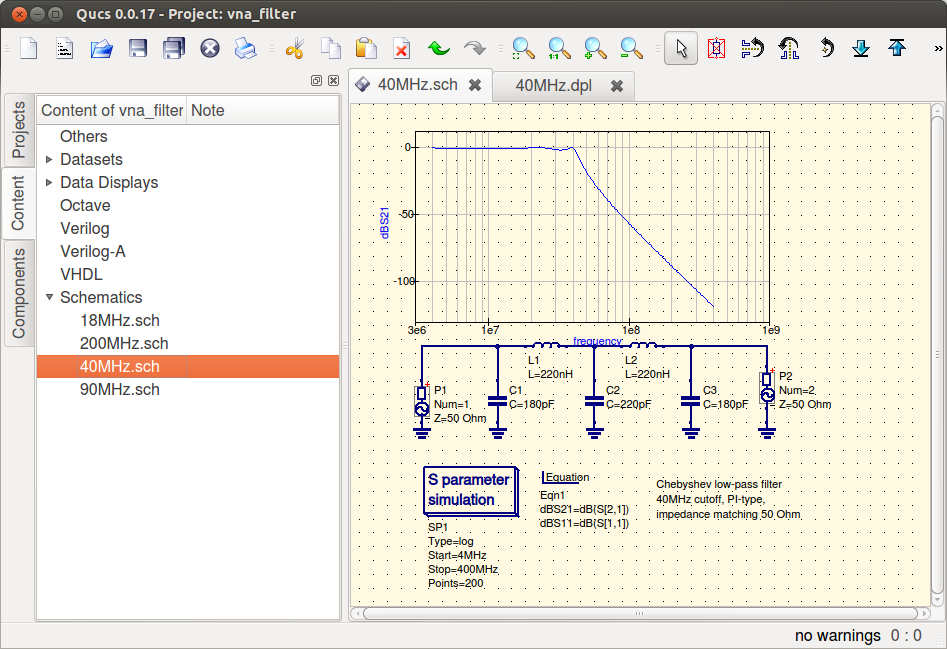
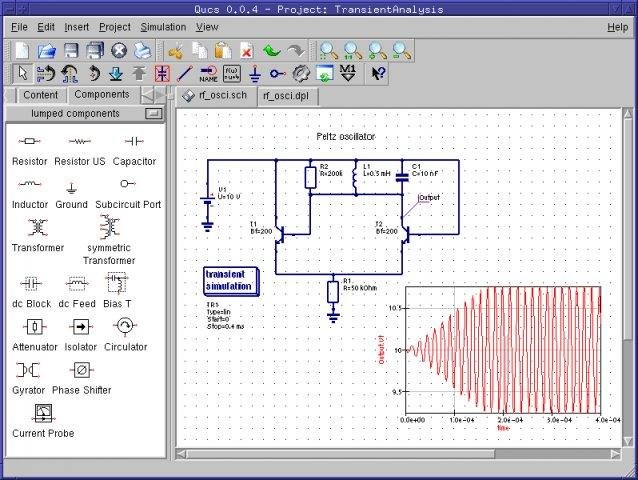

Qucs, short for Quite Universal Circuit Simulator, is a graphical circuit-design and simulation program for electronics students, engineers and hobbyists. Its schematic editor lets users assemble a circuit from components and models, configure analysis settings, and run simulations through the Qucsator backend. Results can then be examined in the program rather than calculated manually from the circuit equations.
The simulator covers several types of analysis used to investigate circuit behaviour. DC analysis helps assess steady-state voltages and currents, while AC and transient analyses show frequency response and changes over time. S-parameter analysis supports examination of network behaviour, and Harmonic Balance analysis is available for nonlinear circuits driven by periodic signals. Noise analysis helps evaluate the contribution of circuit noise to a design. Together, these tools support both large-signal and small-signal investigation.
Qucs includes a component library with semiconductor devices and models such as operational amplifiers, diodes, MOSFETs and PMOSFETs, along with models including HICUM and BSIM variants. Existing SPICE models can be imported for use in simulations. Users can also build parameterised subcircuits and organize designs hierarchically, making it easier to reuse a circuit section or represent a larger design as connected blocks. Mathematical equations can be incorporated into the workflow, and simulation data can be displayed in different diagram types on presentation pages.
A typical project begins with a schematic assembled in the GUI, followed by selection of the analyses and parameters needed to answer a design question. After Qucsator processes the circuit network, the resulting dataset can be presented as plots for comparison and review. This workflow is useful for exploring component choices, checking expected circuit response, studying noise or frequency characteristics, and preparing diagrams to communicate results. Included example schematics offer starting points for learning the editor and examining supported analyses.
Qucs is open-source software and is available for Windows and other desktop platforms. The graphical interface is based on Qt, while Qucsator can also run as a command-line simulator that accepts a network list and produces a Qucs dataset. The command-line backend may be used by other applications as well as by the Qucs interface. The project is suited to users who want a visual circuit workflow with access to simulation data and reusable models, rather than a general-purpose drawing tool.