Xecutor
... to the download page for Xecutor, a cutting-edge Windows 10 software developed by Xpert-Design Software. Designed to enhance your productivity and streamline your daily tasks, ...

RemoveDrive is a portable command-line utility for safely ejecting USB flash drives, external hard disks and memory cards in Windows. It waits for removable storage to be ready for disconnection and reports when a device cannot be removed safely. Users can run it directly or integrate it into batch files and automated file-transfer workflows, avoiding repeated manual ejection steps. The freeware utility is suited to administrators and power users comfortable with command-line tools.
| Author: | Uwe Sieber |
| License: | Freeware |
| Price: | FREE |
| Released: | May 17, 2026 |
| File size: | 123 kB |
| Downloads: | 351 |
| Keywords: | Windows 10 software, Drive, Safe removal, command line utility, command line drive eject, remove usb drive safely, automate drive ejection, Remover, drive tools, Drive removal, safe removal, eject external hard drive, Remove Drive, Remove, portable drive remover, RemoveDrive, Uwe Sieber, safely eject usb drive |
| Author URL: | http://www.uwe-sieber.de/ |


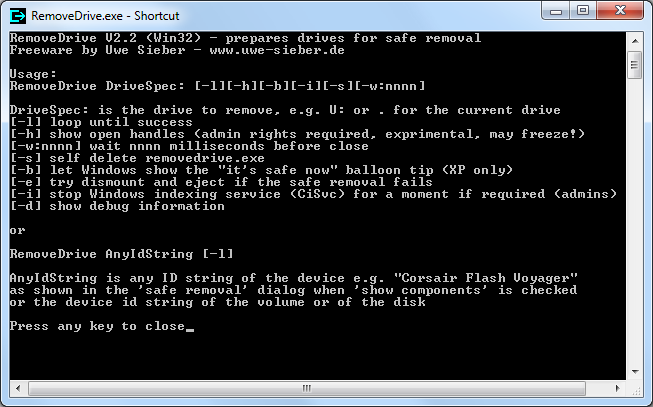
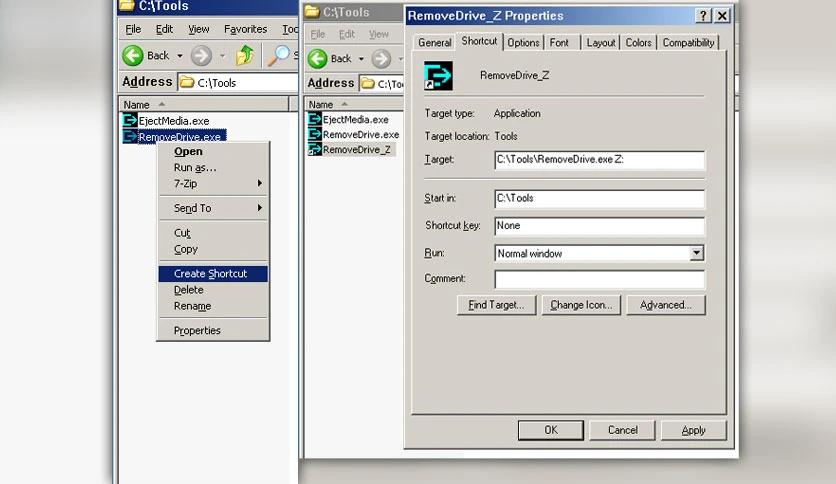
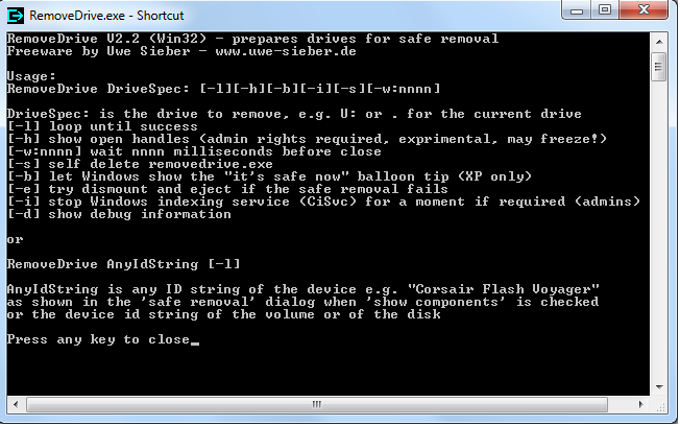


RemoveDrive is a small command-line utility for safely ejecting USB and other removable storage from Windows. It is intended for users who need a direct alternative to manually opening the system tray's eject controls, especially administrators and power users who handle removable drives repeatedly. The program requests safe removal so pending read and write activity can finish before a device is disconnected, helping reduce the risk of data loss or corruption.
The command-line interface makes RemoveDrive useful in scripts and batch files. A user or administrator can incorporate an eject operation into an existing workflow, such as a routine that copies files to an external drive and then prepares it for disconnection. This avoids relying on a graphical prompt each time the task runs. The utility can also operate silently, which suits automated jobs or systems where a visible dialog would interrupt other work. When a drive cannot be removed safely, it provides feedback rather than treating the eject request as successful, helping identify a device that may still be in use.
RemoveDrive works with removable storage such as USB flash drives, external hard disks and memory cards. Its portable design means it can be run without a conventional installation and kept on removable media for use on different Windows computers. This can be practical for technicians who service multiple systems or for users who want a small utility available alongside their backup or file-transfer tools. Because it is command-line software, users need to be comfortable launching programs from a command prompt or invoking them through scripts; it is not a graphical drive-management interface.
Typical uses include safely ejecting a backup disk after a copy completes, incorporating removal into a repeatable file-transfer process, and preparing removable media for disconnection on a workstation. The utility is focused on the eject step: it does not replace backup software or manage the files stored on a drive. Users should still wait for confirmation that removal has succeeded before physically unplugging storage, particularly when a drive is busy or an application has files open.
RemoveDrive is freeware by Uwe Sieber. It supports Windows versions from Windows 2000 through Windows 11, including 32-bit and 64-bit editions where applicable. Its compact, portable format and automation-friendly operation make it best suited to users who prefer a small command-line tool over a graphical interface.