SharePoint Alert Reminder Boost for Windows 10 - Full description
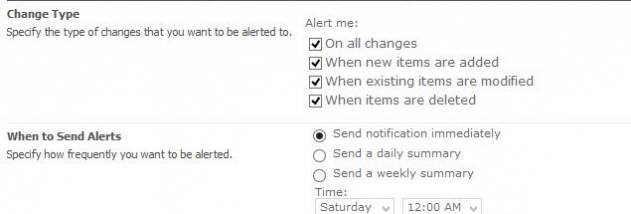
SharePoint Alert Reminder Boost is a workflow notification tool for organizations that manage lists and content in SharePoint. It sends alerts when an item is created, modified, or deleted, helping teams keep track of changes without relying on users to check each list manually. Administrators can direct notifications to selected users or groups, or to specified email addresses, and configure reminders for upcoming deadlines.
Alert rules can be tailored to the information and changes that matter to a team. Conditions are built from item columns, operators, and functions, allowing notifications to be triggered only when defined criteria are met. For example, a rule can focus on particular field values rather than notifying recipients about every change. This helps limit unnecessary messages while drawing attention to relevant updates.
The notification content is customizable. Messages can include item information alongside formatted text or pictures, and newly added content is highlighted so recipients can identify changes more quickly. Scheduled reminder emails can be sent at selected intervals, making the tool useful for recurring follow-ups as well as immediate change alerts. The software also supports SMS notifications, in addition to email.
Teams can use the add-on to notify colleagues about changes to shared SharePoint items, prompt employees as deadlines approach, or route updates to the people responsible for particular work. Sending alerts to groups or email addresses can also help keep relevant stakeholders informed when they do not routinely monitor the affected list.
SharePoint Alert Reminder Boost is trialware from BoostSolutions. Its functions are centered on SharePoint item events, configurable conditions, notification formatting, and scheduled reminders. The product information identifies support for older Windows releases; it does not establish compatibility with Windows 10 or Windows 11, so current SharePoint and system requirements should be checked before installation.