SoundVolumeCommandLine

SoundVolumeCommandLine 1.27

Control audio effortlessly with SoundVolumeCommandLine!

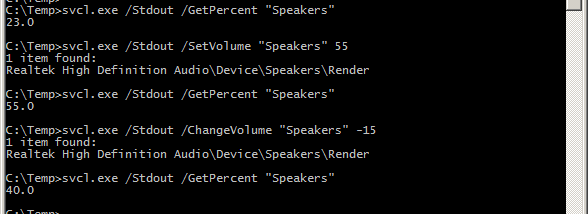
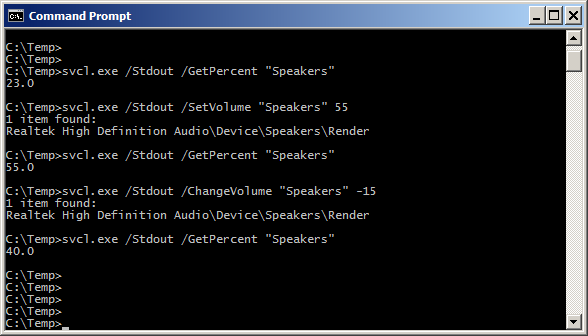
Unlock the full potential of your audio experience with SoundVolumeCommandLine, a powerful utility developed by Nir Sofer. This lightweight command-line tool allows users to effortlessly control sound volume settings directly from the command prompt, making it ideal for automation and scripting. Whether you need to mute, adjust, or query volume levels, SoundVolumeCommandLine delivers precise control without the hassle of navigating through menus. Perfect for tech enthusiasts and professionals alike, this tool enhances productivity and streamlines audio management on Windows 10. Experience seamless sound control today!

SoundVolumeCommandLine 1.27 details

Author:
License: Freeware
Price: FREE
Released:
File size: 72 kB
Downloads: 13
Keywords: control, adjust volume, audio control, download SoundVolumeCommandLine, volume management, volume control, SoundVolumeCommandLine free download, audio management, Windows utility, SoundVolumeCommandLine, Nir Sofer, sound control, Windows 10, sound, volume, command line tool, command line, sound settings
Author URL: http://www.nirsoft.net/
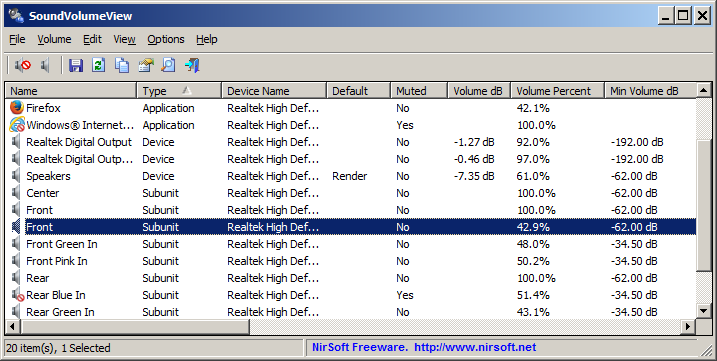
SoundVolumeCommandLine screenshot
SoundVolumeCommandLineOtherWindows 11, Windows 10 32/64 bit, Windows 2008 32/64 bit, Windows 8 32/64 bit, Windows 7 32/64 bit, Windows Vista

User Rating: 0 (0 votes)

SoundVolumeCommandLine for Windows 10 - Full description

Unlock the full potential of your audio experience with SoundVolumeCommandLine, a powerful utility developed by Nir Sofer. This lightweight command-line tool is designed for Windows 10 users who want to manage their sound settings with precision and ease. Whether you're a tech enthusiast or simply looking to streamline your audio controls, SoundVolumeCommandLine offers a straightforward solution for adjusting volume levels, muting, and unmuting audio devices directly from the command prompt.


With its intuitive syntax, you can effortlessly integrate sound management into scripts or batch files, making it perfect for automation enthusiasts. The tool supports various audio devices, allowing you to switch between speakers and headphones seamlessly. Say goodbye to the hassle of navigating through menus; with SoundVolumeCommandLine, you have the power to control your audio environment at your fingertips. Experience enhanced productivity and enjoy a more tailored audio experience today!

SoundVolumeCommandLine for Windows 10 - Post your review