SpeedCrunch for Windows 10 - Full description
SpeedCrunch is an open-source desktop calculator for people who need more than basic arithmetic. Instead of entering numbers with an on-screen keypad, users type mathematical expressions into an editing area and evaluate them. This approach suits students, engineers, technicians and other users who work with formulas or need to repeat calculations. The workspace keeps expressions and their results together, making it possible to review a sequence of steps rather than treating each calculation as a separate operation.
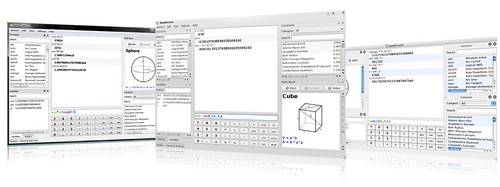
The calculator supports algebra, geometry, unit conversion, electronics and radio-frequency calculations. Its functions and operators let users build expressions directly, while syntax highlighting distinguishes variables, constants and functions as they are entered. That visual separation helps make longer formulas easier to inspect and can make mistakes in an expression more apparent. A collection of built-in functions, constants and formulas provides reference material while working, so users can look up available tools without leaving the calculator.
Variables can be defined for use in later expressions and saved for future work. This is useful when a calculation reuses the same values or when a formula needs to be evaluated with different inputs. The variables panel helps manage defined values, while the history panel keeps earlier calculations available for reference. Results appear in the main workspace and can be copied to the clipboard or exported as plain text or HTML, which supports moving calculations into notes, documents or other applications.
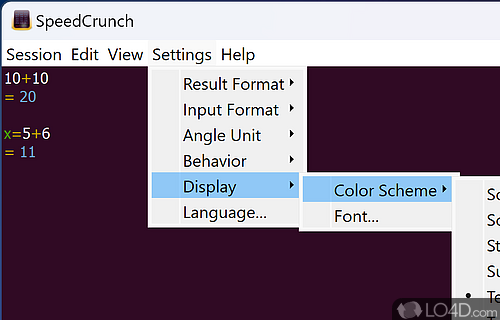
Several reference panels are available, including a formula book, a function list, variables, constants and calculation history. These panels can be detached and positioned elsewhere on the screen, letting users keep frequently consulted material visible alongside the editing area. Display options include the result character format and angle unit, as well as settings for general application behavior. Together, these controls allow the workspace to support both quick one-off calculations and longer sessions involving multiple formulas.
SpeedCrunch is suited to everyday arithmetic as well as technical and educational work involving more complex expressions. It is available at no cost under an open-source license and runs on Windows 10 and Windows 11, including 32-bit and 64-bit editions. Its expression-based interface may feel different to users accustomed to a traditional calculator keypad, but the function and formula references help users find the available operations. The program is focused on calculation and exporting results rather than on creating full reports or spreadsheets.