Network Drive Manager
Welcome to the download page for the Network Drive Manager, a cutting-edge software developed by Suncross. This Windows 10 compatible software is your ultimate solution to managing ...

Stunnel adds SSL/TLS encryption to TCP connections between client and server applications. It can run in client or server mode, protecting services such as HTTP, SMTP, POP3 and IMAP without changes to the applications themselves. Administrators configure services, endpoints and certificates in a text file. OpenSSL provides TLS support, while load balancing and failover options suit more involved network setups.
| Author: | Michal Trojnara |
| License: | Open Source |
| Price: | FREE |
| Released: | Oct 24, 2026 |
| File size: | 3.80 MB |
| Downloads: | 583 |
| Keywords: | client server encryption, ssl tls tunnel, network, stunnel download, remote client, SSL encryption, Stunnel, Windows 10, secure email connections, x64 software, tcp encryption wrapper, openssl tunnel, secure tunneling, logger, remote server, Michał Trojnara, SSL encryption wrapper, wrapper |
| Author URL: | https://www.stunnel.org/index.html |

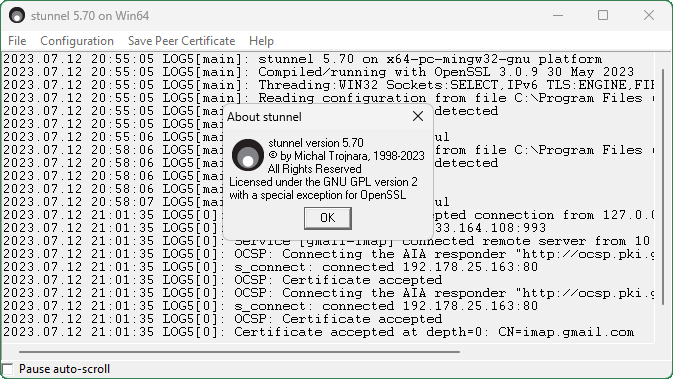



Stunnel is a TCP connection security utility for administrators and users who need to add encrypted transport to client-server software. It acts as an SSL/TLS wrapper: applications continue communicating over their usual TCP connections, while Stunnel places that traffic inside an encrypted tunnel. This can protect services that do not provide encryption themselves, without requiring changes to their source code.
Stunnel can run in client or server mode. In client mode, it creates an encrypted connection to a remote service on behalf of a local application; in server mode, it accepts secured connections and forwards traffic to a service behind it. This arrangement can be used to protect connections for protocols such as HTTP, SMTP, POP3 and IMAP. The applications on either side still use their normal protocol, while Stunnel handles the TLS layer between them.
Configuration is controlled through a text file, where administrators define the services to tunnel and set options such as connection endpoints and certificates. This approach lets a single installation handle multiple service definitions and makes the setup reviewable and repeatable. Stunnel uses OpenSSL for TLS and certificate handling, allowing encrypted connections to be configured around existing network services rather than requiring each application to implement its own encryption.
Typical uses include securing email client connections, protecting access to web services, and adding TLS to older or internal TCP applications. Client and server modes make it possible to place the wrapper at either end of a connection, or at both ends, depending on the network design. The software also supports load balancing and failover configurations, which can direct connections across services or provide an alternate destination when needed.
Stunnel is free and open-source software developed by Michal Trojnara. This Windows download is intended for 64-bit systems running Windows 10 or Windows 11. It is a networking and administration tool rather than a stand-alone replacement for the applications it protects; setting it up requires defining the services and certificates appropriate to the environment. Stunnel is also available for Unix platforms, making it useful in mixed operating-system environments.