Shell
Discover the power of Shell, an innovative software developed by Mahmoud Gomah, designed to enhance your Windows 10 experience. Shell redefines the way you interact with your operating ...

TCC/LE replaces the Windows CMD.EXE command processor with an expanded shell for interactive command-line work and scripting. It adds command and directory history, filename completion, aliases, plugins and enhanced file operations. Scripts can use extended commands, functions, variables and flow control, while file selection supports dates, sizes, wildcards and regular expressions. It is trialware for Windows.
| Author: | JP Software |
| License: | Trialware |
| Price: | FREE |
| Released: | Jun 24, 2025 |
| File size: | 83.50 MB |
| Downloads: | 696 |
| Keywords: | cmd.exe replacement, command line interpreter, TCC/LE, command shell, Windows 10 compatible, command line scripting, command line, command prompt, command line shell, JP Software, prompter, command prompt tools, batch file processor, shell, windows command processor, x64 software review, filename completion, command |
| Author URL: | https://jpsoft.com/ |
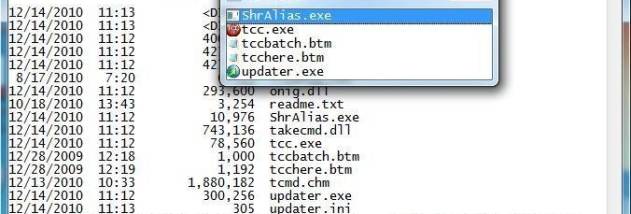

TCC/LE is a command processor that replaces the Windows CMD.EXE shell with an expanded command-line environment. It is intended for people who work regularly in a console, including users who want more capable file commands and those who automate recurring tasks with scripts. Its scripting language extends the standard CMD shell with additional commands, functions, variables and structured flow control.
The command-line editor makes interactive work quicker by providing command and directory history, filename completion and directory completion. History can be recalled through popup windows, while completion can handle paths across a network. Extended directory searches also help locate and enter a folder by typing only part of its name. Aliases let users shorten frequently entered commands, and commands can be assigned to a single keystroke.
TCC/LE expands familiar file operations such as COPY, MOVE, DEL and DIR. Many commands accept multiple filenames at once, and file selection can be narrowed or excluded by date, time, size, extended wildcards or regular expressions. This is useful for applying an operation to a specific group of files without handling each path separately. Redirection options include STDERR, along with TEE and Y pipe fittings, for directing command output through files or other commands.
Scripts can use IF-Then-Else conditions, DO and FOR loops, SWITCH statements and subroutines to control sequences of operations. Plugins can add custom variables or commands, and third-party plugin libraries provide another way to extend the environment. For working with files outside the shell, a built-in text and binary viewer offers bidirectional scrolling, search and printing. TCC/LE can also send keystrokes to command-prompt and graphical application windows.
TCC/LE is trialware and runs on Windows 10 and Windows 11, as well as several earlier Windows desktop and server editions. It can serve as an interactive replacement for CMD.EXE or as a tool for writing and running command-line scripts. Users should check the trial terms before continued use; the program's command language and many familiar CMD commands make it suitable for workflows that build on existing Windows shell knowledge.