3Depict
3Depict is an open-source application for viewing and analyzing three-dimensional point-cloud datasets. It is aimed particularly at researchers and other users working with scientific data, including ...

Text Pro is a Paint.NET plugin for styling and transforming text in images. It adds outlines, shadows, multiple borders, and 3D effects, with controls to rotate, flip, warp, stretch, and shear lettering. Text can be arranged inside or around a circle, and symbols or special characters can be inserted. Saved effects can be reopened for reuse. Paint.NET is required.
| Author: | Fotoview |
| License: | Demo |
| Price: | $19.00 |
| Released: | Jan 15, 2020 |
| File size: | 0.98 MB |
| Downloads: | 376 |
| Keywords: | Fotoview Text Pro, paint.net text plugin, circular text effects, text shadow effects, Windows 10 compatibility, text outline, advanced text effects, create text effect, create 3D text, x64 software, text outline tool, 3d text effects, stretch, warp, warp text in paint.net, professional graphic design, easy-to-use interface, outline |
| Author URL: | http://www.fotoview.nl/ |
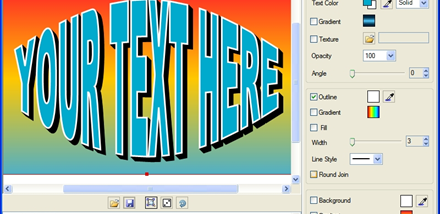
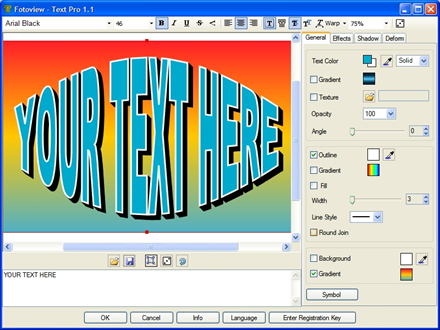


Text Pro is a Paint.NET plugin for adding styled text to images and graphics. It is suited to users who need more control over lettering than a basic text tool provides, including designers preparing titles, labels, captions, logos, and decorative text. Its effects can be adjusted to fit a composition, from straightforward outlines and shadows to distorted or dimensional lettering.
The plugin can add outlines and shadows to text, helping letters stand out against detailed backgrounds or match the visual style of an image. Multiple outlines allow layered borders around a single text element. For a dimensional treatment, it can create 3D text effects. These options provide ways to distinguish lettering without having to build each effect from separate graphic elements.
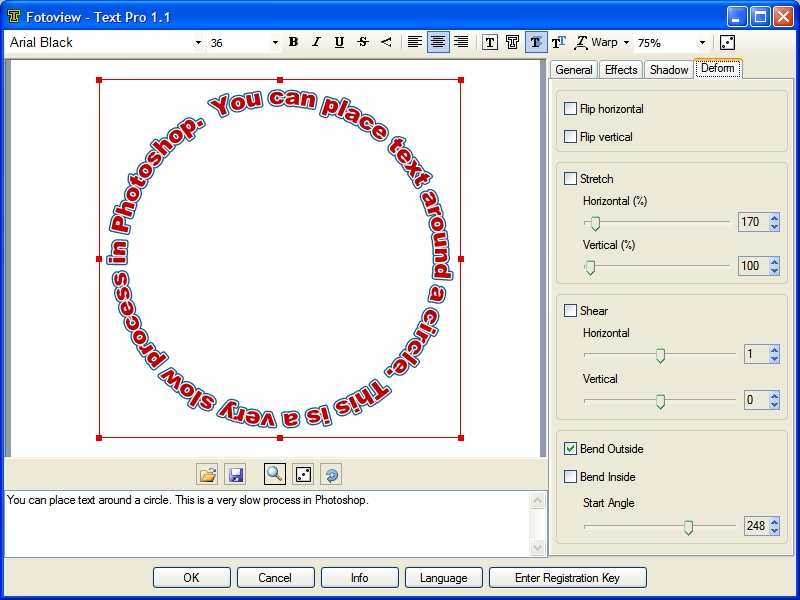
Text can also be transformed before placement. Rotation and flipping change its direction or orientation, while warp, stretch, and shear alter its shape. These controls are useful for fitting words into a limited space, matching angled artwork, or creating expressive lettering. Text can be arranged inside a circle or around its perimeter for badges, seals, and circular layouts.
For specialized lettering, Text Pro supports symbol and special-character insertion, as well as font sizes beyond ordinary limits. Effects can be saved and opened again, making it possible to return to a previous treatment or reuse settings in another editing session. The combination of text styling and transformation tools supports both practical image annotations and more decorative compositions.
Text Pro works as a plugin in Paint.NET rather than as a standalone graphics editor, so Paint.NET is required to use it. It is offered as demo software. The stated Windows compatibility includes Windows 2000, Windows XP, Windows Vista, Windows 7, Windows 8, and Windows 10, along with several corresponding 64-bit editions; Windows 11 compatibility is not established here.