Texture Anarchy
... a set of Adobe Photoshop filters for creating textures and borders that turn your ordinary images into ... empowers you to generate a wide range of textures, from organic and naturalistic, to surreal and abstract, ...

TexturePacker packs multiple images into texture atlases or sprite sheets for games and applications. Its preview helps users inspect layouts as they work, while trimming, rotation and multipack options support compact asset exports. The program supports engines including Unity, Cocos2d and Phaser, and offers command-line tools and scripts for automated build workflows.
| Author: | Andreas Loew |
| License: | Trialware |
| Price: | $49.99 |
| Released: | May 22, 2026 |
| File size: | 28.50 MB |
| Downloads: | 339 |
| Keywords: | image optimization, sprite sheet software, game asset optimizer, packer, sprite sheet generation, sprite, sprite packing tool, texture packer, texture, GUI and command line interface, texture atlas packing, TexturePacker, game development tool, Andreas Loew, sprite sheet creator, pack texture, sprite creation |
| Author URL: | https://www.codeandweb.com/ |


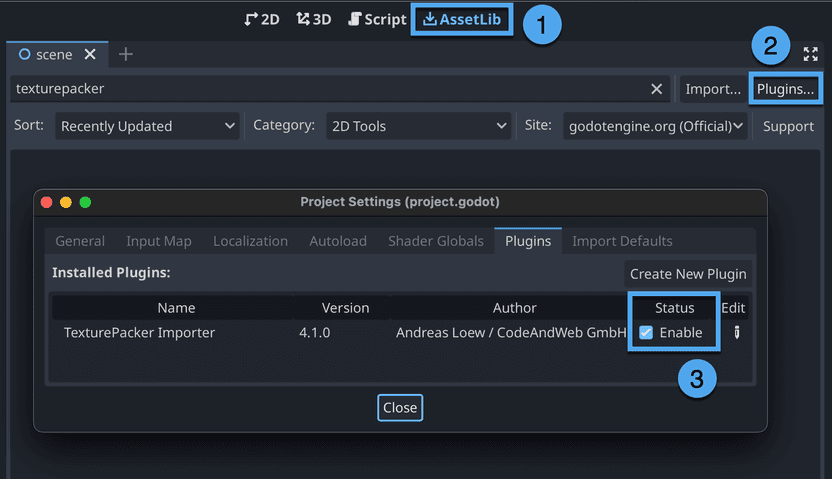
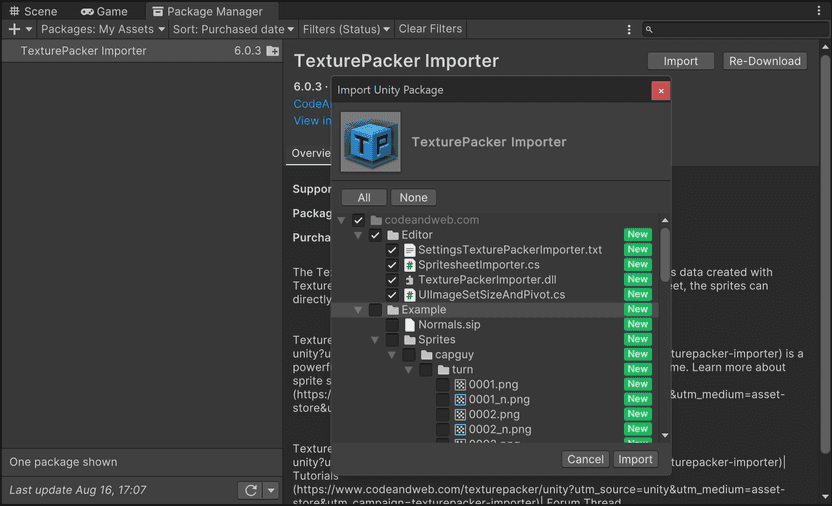
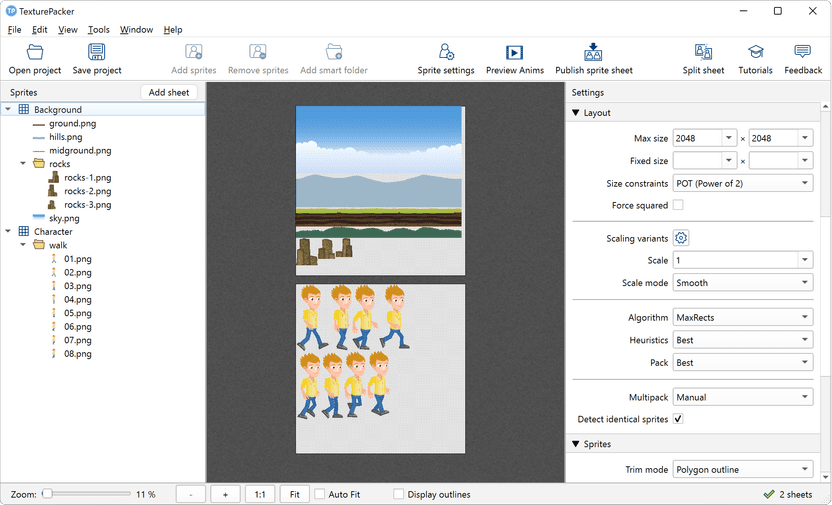

TexturePacker is a desktop tool for game developers and digital artists who need to combine separate image assets into texture atlases, also called sprite sheets. Packing many sprites into a smaller number of textures can reduce the texture memory a project uses and help improve rendering performance. The program supports workflows built around engines such as Unity, Cocos2d and Phaser, as well as other projects that consume atlas files.
Users import images by dragging them into the interface, then arrange the sprites through the atlas packing workflow. A real-time preview shows how changes affect the layout, making it easier to inspect the result and adjust the use of available texture space. Packing algorithms arrange images to limit unused areas. Trimming removes unnecessary transparent margins, while rotation allows sprites to fit in different orientations. These options can produce more compact atlases, depending on the source images and project requirements.
TexturePacker supports multiple file formats and provides export options for integration with supported game engines. Its multipack feature can distribute assets across more than one atlas when a single texture is not sufficient. Resolution and scaling options help prepare asset sets for projects targeting devices with different display sizes, so developers can manage variants within their production workflow. The resulting files can be used as part of a game or application's asset pipeline.
The software is useful when preparing animation frames, interface graphics, or other groups of sprites for a game. Instead of handling each image as an unrelated texture, artists and developers can pack related assets together and review their placement before exporting. Command-line support and automated scripts also make it possible to run atlas generation in a build process, which can reduce repetitive manual work when assets change. These capabilities suit both individual creators and teams maintaining larger asset collections.
TexturePacker is developed by Andreas Loew and is distributed as trialware. It runs on 64-bit Windows 10 and Windows 11. Its preview, packing controls and export workflow support both hands-on asset preparation and automated production tasks; engine support, formats and settings should be matched to the requirements of the project using the exported atlas.