CommitMonitor
... powerful tool that effortlessly keeps track of your version control system, ensuring you never miss a beat. With its sleek and intuitive interface, this software ...

TortoiseHg x64 adds Windows Explorer integration and graphical tools for working with Mercurial repositories. Users can create or clone repositories, review changed files, commit edits, update to earlier revisions, and synchronize changes with other repositories. Its Workbench helps inspect revision history and relationships, while graphical merge and conflict-resolution tools support collaborative development. The freeware package is designed for 64-bit Windows.
| Author: | TortoiseHg |
| License: | Freeware |
| Price: | FREE |
| Released: | Aug 11, 2023 |
| File size: | 30.00 MB |
| Downloads: | 409 |
| Keywords: | version control system, tortoisehg download, mercurial repository manager, Shell x64, Extension x64, open-source software, source control gui, Shell Extension x64, mercurial windows shell extension, Windows compatible, Context Menu x64, mercurial gui, Mercurial SCM x64, SCM x64, software development tool, graphical user interface, Mercurial integration, mercurial client |
| Author URL: | https://tortoisehg.bitbucket.io/ |

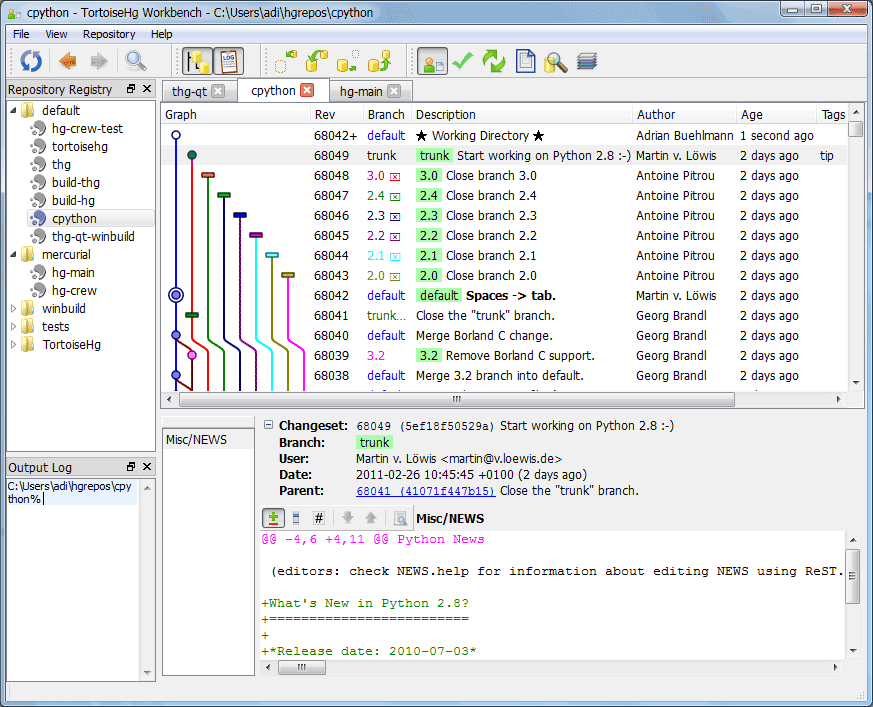


TortoiseHg x64 is a Windows shell extension and graphical toolset for Mercurial, a distributed version control system. It is intended for developers and teams who need to track changes to source code or other files, maintain local repositories, and coordinate work across multiple copies of a project. Its Explorer integration puts common repository actions in the file manager, while its graphical applications provide a more detailed view of repository history and state.
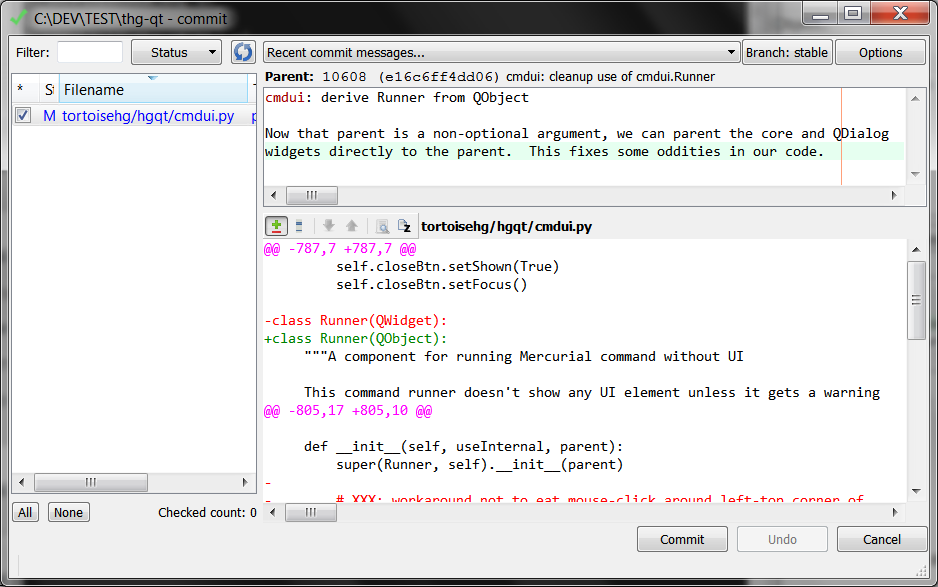
The Windows context menu gives access to Mercurial operations from a working folder. Users can create or clone repositories, inspect changed files, commit edits, and update a working copy to another revision. For collaboration, the tools can synchronize repository changes with other repositories. These actions make it possible to handle routine source-control work without entering commands for every operation, while Mercurial remains available for users who prefer its command-line interface.
TortoiseHg also provides ways to examine and manage project history. The graphical Workbench presents repository revisions and their relationships, helping users review earlier changes and select a revision to inspect or use. File and change views help identify what has been modified before a commit. When parallel lines of work need to be brought together, Mercurial's merge and conflict-resolution workflow can be managed through the tools. These features are useful both for checking a single developer's work and for understanding changes contributed by a team.
The suite fits into workflows ranging from personal project tracking to shared development repositories. Developers can use it to review past commits, move between revisions, publish or retrieve changes, and resolve conflicts as work progresses. Its shell integration is convenient for users who prefer to start operations from the project folder, while the graphical interface supports deeper inspection than a context-menu action alone. TortoiseHg is specifically built around Mercurial rather than serving as a general client for unrelated version-control systems.
TortoiseHg is freeware and the x64 package is intended for 64-bit Windows systems, including Windows 10 and Windows 11. The project also includes a command-line wrapper and a GNOME/Nautilus extension for use outside Windows. Repository operations depend on Mercurial, so users should have Mercurial available for the repositories and workflows they plan to manage. It is suited to users who want visual access to Mercurial functions integrated with the Windows desktop.