uRAM for Windows 10 - Full description
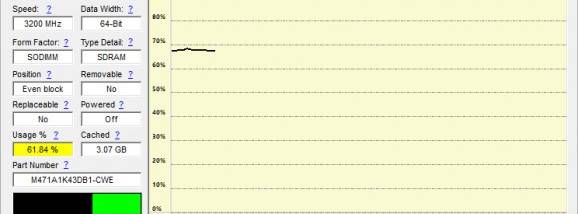
uRAM is a Windows utility for monitoring and managing system memory. It is intended for users who want to check how much RAM is in use and have an option to free unused memory. Its interface presents memory-use information in real time, helping users notice when consumption rises while applications are running. This can provide a quick overview of system activity, although memory readings alone do not identify every cause of a slowdown.
The program includes automatic memory optimization, which attempts to release unused memory. Users can let this process run with minimal intervention or adjust available settings to suit their preferences. Memory optimization is not a substitute for closing an application that is using excessive resources, and its effect depends on the system and the programs running. uRAM is best treated as a lightweight utility for observing memory use and applying its memory-management function when appropriate.
For routine checks, users can open uRAM to view current RAM consumption and decide whether to continue working, close a resource-intensive application, or use the optimization feature. The adjustable behavior accommodates both users who prefer a simple overview and those who want more control over how the utility operates. Its small download size makes it a modest addition to a system, while the interface is designed to keep memory information accessible without requiring detailed system-administration knowledge.
Typical uses include checking memory use during multitasking, investigating sluggish performance, and freeing unused memory before starting a demanding application. It may also be useful to users who want a quick memory monitor available while working. It does not replace Windows Task Manager for inspecting individual processes, nor does memory optimization guarantee faster performance; overall responsiveness also depends on running software and available hardware.
uRAM is freeware from Ari Sohandri Putra. It supports Windows 10 and Windows 11, as well as older Windows versions including Windows 8, Windows 7, and Windows Vista, with 32-bit and 64-bit support indicated for those systems. The utility focuses on RAM monitoring and management; users should confirm that its available functions match their needs before relying on it for system troubleshooting.