Video Snapshots Genius
Video Snapshots Genius is a Windows utility for extracting still images from video files. It is suited to home-video owners, video catalog creators and anyone who needs individual frames ...

Video Snapshots Genius Business extracts still images from video files and can save single frames or build thumbnail galleries. Users can browse a movie and capture selected scenes, or take snapshots automatically at chosen intervals. It supports formats such as MPEG, AVI, WMV, DivX, Flash video, RealMedia, QuickTime and DVD. Image size, naming, destination folder and output format are configurable; a built-in editor adjusts brightness and contrast.
| Author: | Lonking Software, LLC |
| License: | Trialware |
| Price: | $49.95 |
| Released: | Oct 28, 2019 |
| File size: | 16.30 MB |
| Downloads: | 316 |
| Keywords: | Snapshot, capture movie scene, capture, Lonking Software, video, video capturing tool, video snapshot gallery, x64 compatibility, movie scene capture, Windows 10 software, video snapshot software, thumbnail gallery, Video Snapshots Genius, video thumbnail maker, extract images from video, Video Snapshot, Business Edition, capture frames from video |
| Author URL: | https://www.lonking.com/ |

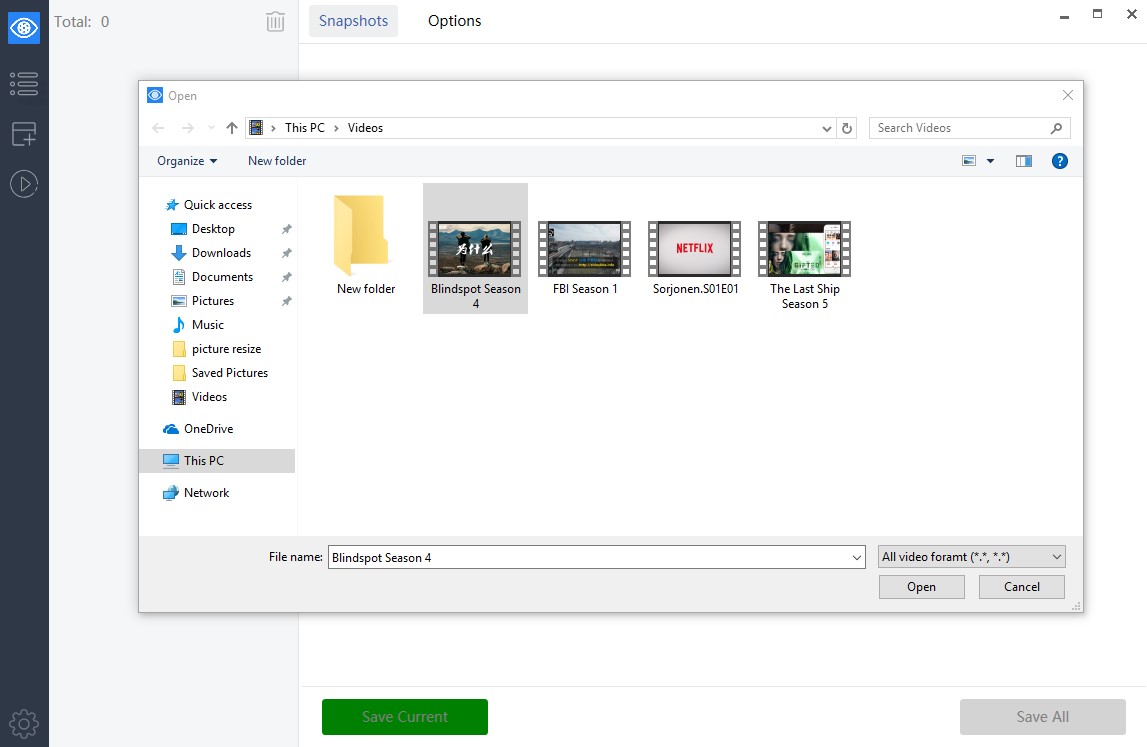
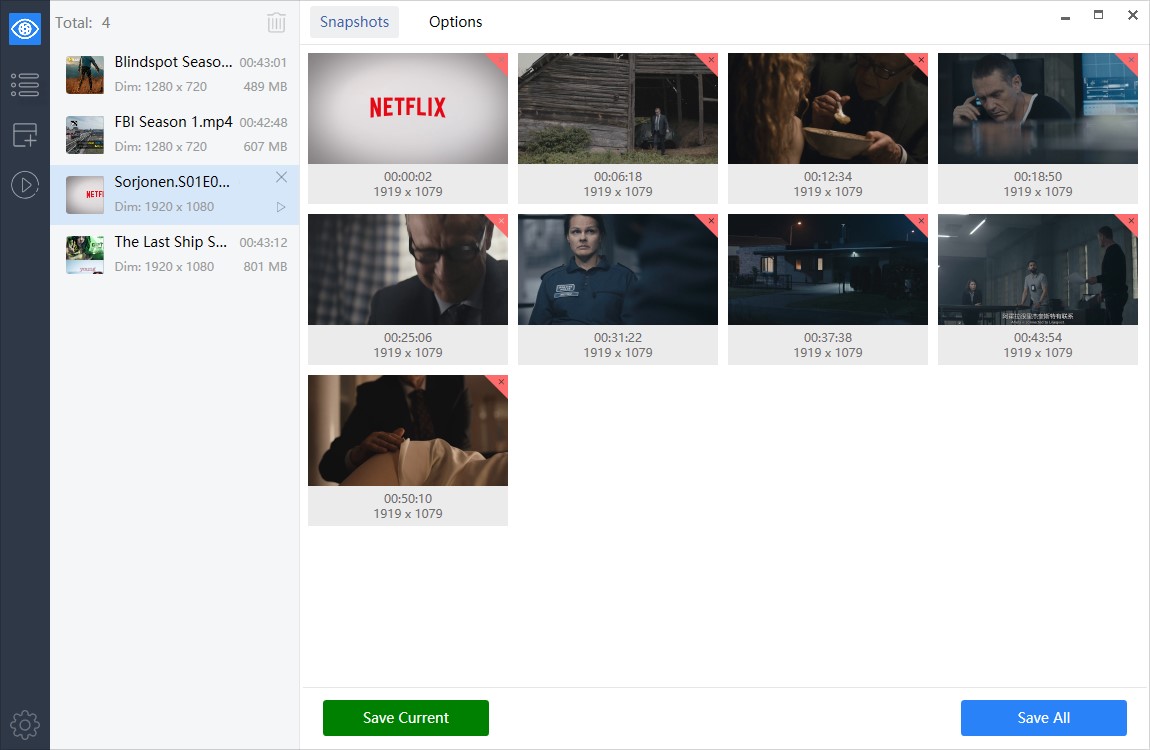

Video Snapshots Genius Business is a Windows application for extracting still images from video files. It is intended for businesses and organizations as well as people preparing visual material from home movies, DVDs or other video collections. The program previews videos without requiring a separate playback application and can save individual frames or arrange captured images in a thumbnail gallery.
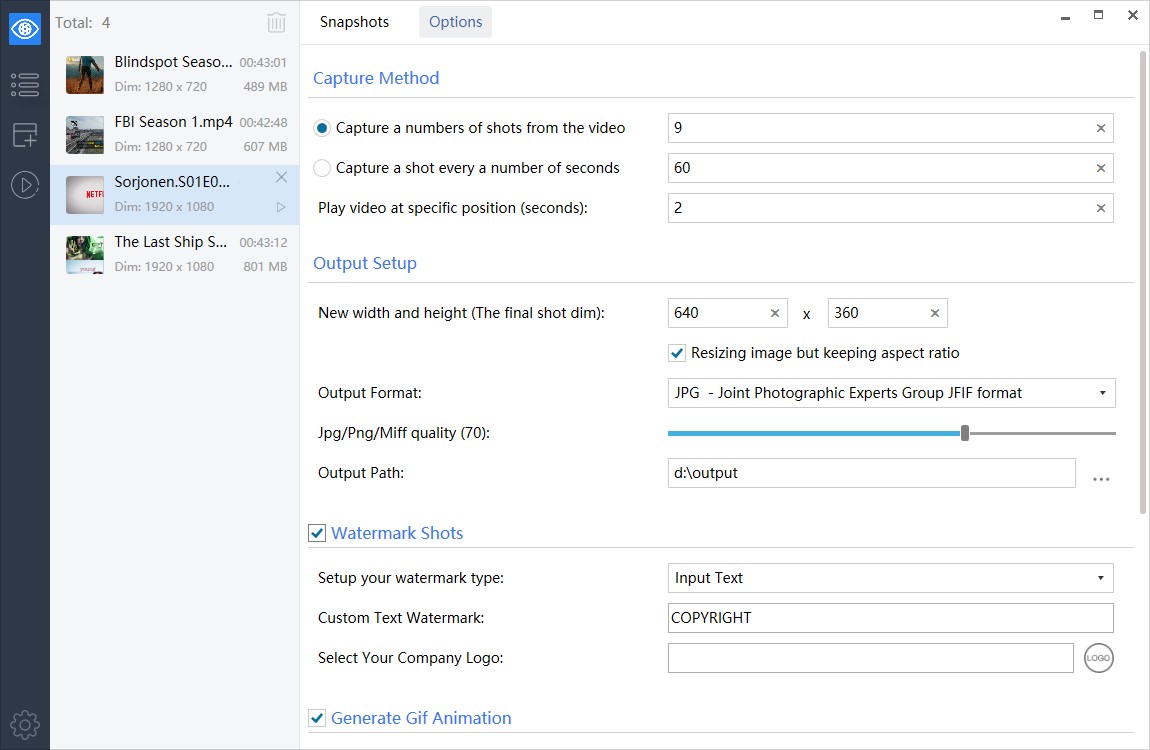
Frames can be selected manually by moving through a video and capturing the scenes that matter, or collected automatically at intervals chosen by the user. The number of images can be configured, making the automatic method useful for producing an overview of a long clip. Support includes popular formats such as MPEG, AVI, WMV, DivX, Flash video, RealMedia and QuickTime, along with DVD content.
For exported images, the program lets users set the dimensions, select a destination folder and choose a filename prefix for automatically named files. Captures can be saved as BMP, JPEG, GIF, PNG or TIFF. A built-in picture editor provides brightness and contrast adjustments, and a picture viewer makes it possible to check the results. The software can also generate thumbnail sheets and add timestamps to snapshots.
These tools suit a range of practical projects: selecting representative images for a video catalogue or presentation, preparing scene previews for a website, and collecting stills from family recordings. Captures can also be used as source images for custom DVD menus or as frames for simple animated banners. Manual capture offers control over the exact scene, while timed capture is useful when a sequence of evenly spaced images is needed.
Video Snapshots Genius Business is trialware. Its business license permits use in corporate, government and other business environments, with one license assigned to one computer. The program is designed for Windows and supports video formats including both common file types and DVD media; playback and capture are handled within the application.