7-Zip (x64 bit)
7-Zip is an open-source file archiver for Windows x64 computers, intended for anyone who needs to create ... LGPL; the unRAR code has additional restrictions. This x64 edition is intended for 64-bit Windows systems, including ...

WinRAR is a Windows x64 archive manager for creating RAR and ZIP files and extracting many formats, including CAB, TAR, 7Z and ISO. It can compress files for storage or sharing, split archives into volumes, protect archives with passwords and AES encryption, and help repair damaged files. A wizard and command-line interface support different workflows.
| Author: | Rarsoft |
| License: | Trialware |
| Price: | $29.00 |
| Released: | May 15, 2024 |
| File size: | 3.41 MB |
| Downloads: | 2421 |
| Keywords: | Rar archiver, winrar, manager, Rarsoft, rar file archiver, x64, create RAR, extract rar files, Windows x64, zip archive manager, password protect archives, File manager x64, data encryption, File manager, File archiver x64, File archiver, Unrar, Rar archiver x64, x64 Rar software, Unrar x64, Unzip x64, Win RAR x64, WinRAR, Unzip, WinRARx64, create compressed archives, archive utility, split archive volumes, archive, file compression |
| Author URL: | https://www.rarlab.com/ |
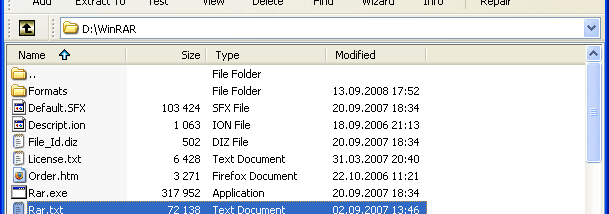

WinRAR is a file archiver and archive manager for Windows x64 systems. It creates compressed RAR and ZIP files and opens archives in a broad range of formats, making it useful for people who need to package files for storage, sharing or backup, as well as extract downloads. Its desktop interface provides mouse and menu controls, while a command-line interface supports users who prefer scripted or command-driven tasks.
When creating an archive, WinRAR lets users choose RAR or ZIP and adjust compression settings to suit the files and intended use. Compression can reduce the space needed to store files or the size of attachments before sending them. The program selects compression methods for different content, with specialized handling for multimedia files, executables and object libraries. Archives can also be divided into volumes, which is practical when files need to fit across multiple storage devices or transfer limits.
For extraction, WinRAR handles RAR and ZIP archives and can unpack formats including CAB, ARJ, LZH, TAR, GZ, ACE, UUE, BZ2, JAR, ISO, 7Z, XZ and Z. Users can browse archive contents and extract files without first unpacking everything. Password protection is available for archives, with AES encryption for securing their contents. Recovery features can help repair damaged archives, and the program can create self-extracting files for recipients who need a straightforward way to unpack a package.
A built-in wizard guides users through basic archive creation and extraction with a question-and-answer workflow. This can help newcomers complete common tasks without choosing settings manually, while experienced users can work directly through the main interface or command line. WinRAR can therefore support routine file organization, preparing email attachments, distributing collections of documents and media, and making compressed backups.
WinRAR x64 is trialware and is intended for 64-bit Windows, including Windows 10 and Windows 11. It combines archive creation, extraction, encryption and file management in one application; no separate add-on is needed for self-extracting archives. The x64 edition is suited to compatible Windows systems, and archive formats and options can be selected according to the task, whether the priority is convenient sharing, reduced storage use or controlled access to packaged files.