WinStitch for Windows 10 - Full description
WinStitch is a chart-making program for people who create cross-stitch, tapestry, beadwork, knitting and similar needlework designs. It turns pictures into patterns and also provides tools for drawing original designs by hand. The chart can be viewed on screen and printed as a pattern to work from, linking the design process with the finished work on cloth or other materials.
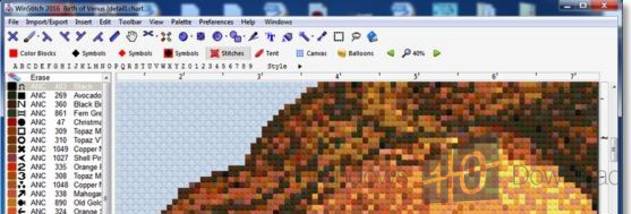
To base a design on an existing image, users can import a scanned photo or clip art. WinStitch selects suitable colors and converts the image into a chart, giving crafters a starting point for adapting a picture into a workable needlework pattern. Images copied from the web can also be used, though their copyright may restrict whether the resulting design can be sold. For original work, users can draw directly in the program with the mouse rather than starting from a photo.
The drawing tools cover full, half and quarter stitches, as well as beads, knots and backstitch. Squares and circles help form regular shapes, while flood fill can apply color across an area. Search and replace supports changes to repeated elements, and multi-level undo makes it possible to step back through edits. Together, these tools support both detailed chart adjustments and broader changes to a design.
When a chart is ready, WinStitch can print it in patterns intended to be easy to read. Printed output includes an estimate of the amount of thread used, helping with preparation before stitching begins. Designs can also be exported as PNG images or PDF files for digital storage, sharing or printing outside the program. These output options suit a workflow that may start with an image or a hand-drawn idea and end with a paper chart beside the work.
WinStitch is offered as demo software and is available for Windows 10 and Windows 11. It is intended for needlework hobbyists and designers who want to make charts from pictures or build them from scratch, with print and file-export options for taking designs beyond the screen. When using imported artwork, users should check the image rights before distributing or selling a pattern based on it.