ZipGenius for Windows 10 - Full description
ZipGenius is a free archive utility for Windows that creates and opens compressed files. It supports more than 20 archive and compression formats, including ZIP, RAR and 7z, making it useful for people who need to work with files received in different formats as well as package files for sharing or storage. The program also handles encoding and can create encrypted archives, combining everyday compression tasks with tools for backup and image handling.
To open an archive, users can browse its contents and extract files for use elsewhere. When creating an archive, ZipGenius compresses selected files into a package, which can make groups of documents or other files easier to store and transfer. Support for multiple formats reduces the need to install separate utilities for common archive types. ZIP archives can also be made self-decrypting, so recipients can unpack them without a separate archive application, while encryption options include Blowfish and Rijndael (AES).
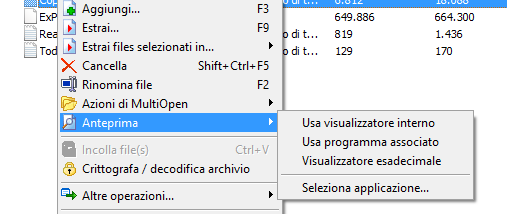
ZipGenius includes backup features for saving application data, including a dedicated option for Mozilla Firefox and Thunderbird profiles. This can help users preserve browser settings and mail profiles alongside other backup material. For working with pictures, the program can display thumbnails of images held inside an archive, allowing users to inspect image collections before extracting them. It can also create self-playing slideshows from pictures and import images from TWAIN-compatible devices such as flatbed scanners and digital cameras.
These features suit a range of routine tasks: extracting downloaded archives, compressing folders for distribution, protecting archive contents, maintaining selected application profiles, and reviewing or importing image files. The archive viewer and image tools also make it possible to inspect some contents before moving them into regular folders. Encryption is useful when an archive contains private files, while self-decrypting ZIP files provide an alternative for sharing with recipients who may not have an archiver installed.
ZipGenius is freeware and is available for Windows 10 and Windows 11. Its broad format support is its central function, with backup, encryption and photography tools adding options for users whose work involves more than simply compressing and extracting files. Compatibility with individual archive formats and encryption options can depend on the type of archive being handled.