Alternate Directory for Windows 10 - Full description
Alternate Directory is a Windows utility for finding and removing unnecessary files from selected directories. It is intended for people who want to clear storage occupied by temporary files, caches, old backups and other data they no longer need, without manually checking every folder. Its directory-focused approach also suits routine cleanup on personal computers and systems where files accumulate through regular use.
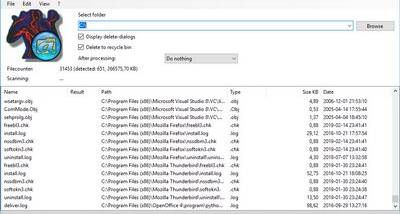
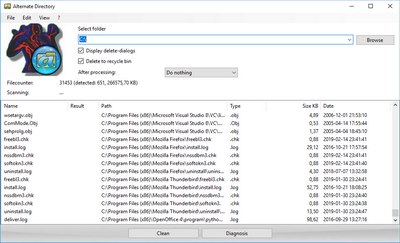
The program scans directories for files that match the cleanup criteria, then lets users review the results before deletion. This preview step makes it possible to check what a scan has found and avoid removing items that should be kept. Alternate Directory supports different file types, and its cleanup settings can be adjusted to target the kinds of redundant data relevant to a particular task. For example, a user clearing temporary files can choose criteria for that cleanup rather than treating every file in a directory alike.
After reviewing the scan, users can remove the selected files to reclaim disk space. The utility is designed to scan and delete files quickly, and its lightweight footprint is intended to keep the cleanup process from demanding substantial system resources. Deletions are permanent, so reviewing the preview and selection is important before proceeding, particularly when working with directories that contain personal or work files. The same permanent-removal behavior can be useful when unwanted files contain sensitive information, but it should not be treated as a substitute for secure data-handling procedures.
Alternate Directory can be used for occasional housekeeping, such as clearing accumulated temporary data, or as part of a regular routine for keeping chosen folders under control. It may also help users who need to remove old backups or other clearly redundant files. The scan-and-review workflow provides a chance to confirm the cleanup target before files are removed, while the ability to customize file types makes the process more specific than deleting folder contents indiscriminately.
The program is freeware from AlternateTools and is intended for Windows. It supports Windows 10 and Windows 11, as well as a range of older Windows desktop and server editions. As with any utility that permanently deletes files, users should verify the selected directory and scan results before confirming removal, and retain separate backups of data they may need later.