Back4Sure x64
Back4Sure x64 is a file-backup utility for Windows users ... verify that a job is configured as intended. Back4Sure can write a plain-text log of backup actions, ...

Back4Sure backs up selected folders to a chosen destination as plain file copies or compressed ZIP and 7Z archives. Users can save backup profiles for recurring jobs and apply filters to include or exclude file types. A built-in integrity check helps verify stored backups, and the portable program can run from a USB drive without installation.
| Author: | Ulrich Krebs |
| License: | Freeware |
| Price: | FREE |
| Released: | Oct 21, 2025 |
| File size: | 3.20 MB |
| Downloads: | 358 |
| Keywords: | backup job, backup profile manager, file synchronization, restore, file backup utility, backup drive, 7z backup software, data backup, backup data, zip backup tool, folder backup software, x64 architecture, backup, Back4Sure, Windows 10 software, Ulrich Krebs, partition, portable backup program |
| Author URL: | https://www.ukrebs-software.de/ |

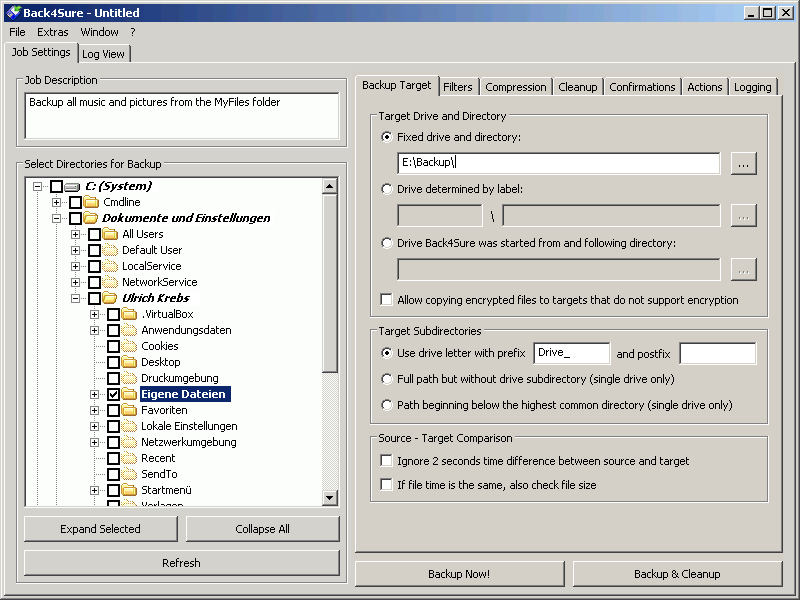
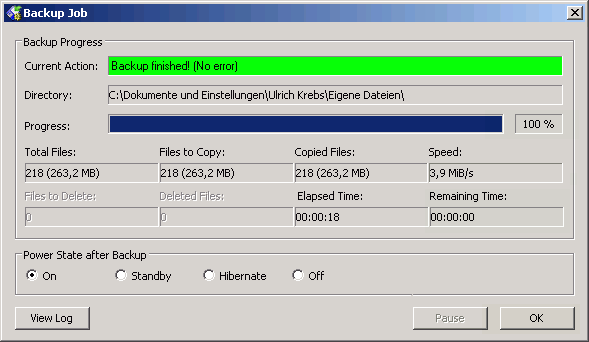

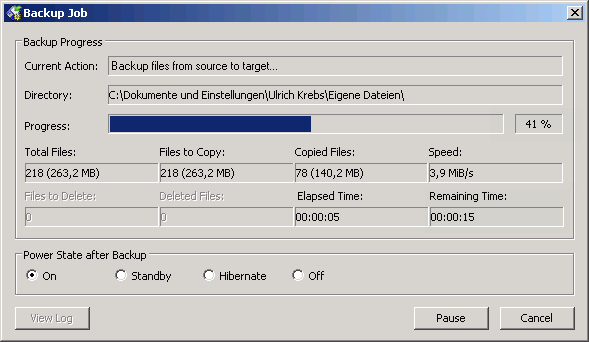


Back4Sure is a folder-based backup utility for Windows users who want to copy selected files to another location and keep the process organized through reusable settings. It suits personal and professional file-protection tasks, from safeguarding documents and project folders to preparing copies for storage on a separate drive. Backups can be stored as ordinary files or compressed archives, so users can choose a format that fits their priorities and storage plan.
A backup profile stores the choices for a particular job, including the folders to process and the options applied to them. Profiles are useful when the same folders need regular backups: instead of rebuilding the selection each time, users can reuse the saved setup. File filters provide finer control by including or excluding chosen file types, which helps omit temporary material or focus a job on specific kinds of content. Separate profiles can keep different backup routines distinct, such as work files and personal folders.
For an uncompressed copy, Back4Sure writes files in plain form. This can be practical when files should remain directly accessible in the destination. When reduced storage use is more important, it can create compressed backups in ZIP or 7Z format. The program also checks backup integrity, helping users identify whether stored copies have been copied correctly. These options support different needs: quick access to individual files, more compact storage, or an additional check on the result.
Back4Sure can run from a USB drive without installation on the computer in use. This portable operation can be convenient for maintaining a familiar backup setup across multiple PCs, or when a user prefers not to install another utility. Its main workflow centers on choosing folders, setting filters and storage options, then running the job; saved profiles make repeated runs easier to manage. It is intended for file and folder backups rather than a complete system-image workflow.
The software is freeware from Ulrich Krebs and supports Windows 10 and Windows 11, as well as earlier Windows releases. Its focus on selected directories makes it suitable for users who want control over which data is copied and where the resulting backup is stored. As with any backup tool, keeping a copy on a separate drive or other storage location helps protect against problems affecting the original files or their primary disk.