Bookmarks Commander for Chrome for Windows 10 - Full description
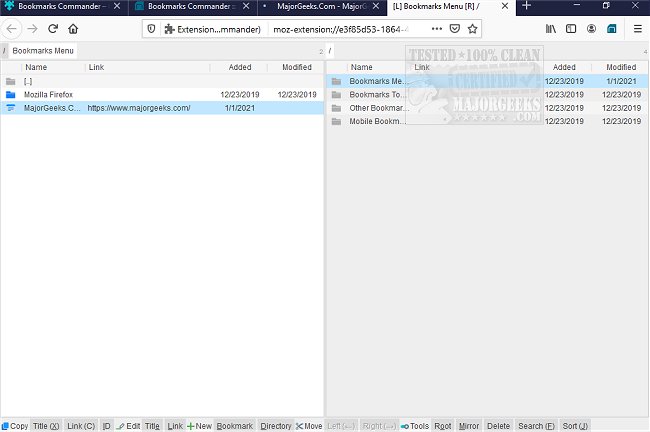
Bookmarks Commander for Chrome is a two-pane bookmark manager for people who want to organize browser links with the folder-based approach of a file manager. It opens in a new Chrome tab from its toolbar icon and displays the browser's bookmark folders, including the Bookmarks bar and Other bookmarks. The split view lets users work with two locations side by side when sorting or moving items through a large collection.
The extension treats bookmarks as entries within folders. Users can create directories, give them custom names, add bookmarks to a chosen location, and move existing links between folders. Each entry shows its title, URL, and dates added and last modified, making it easier to identify and review saved links. Titles and URLs can also be edited directly, while commands copy a selected bookmark's title, address, or ID for use elsewhere.
Controls along the bottom of the interface provide tools for navigating to the root folder, mirroring one pane, deleting entries, and sorting bookmarks. Search helps locate links by query, and a separate duplicate-search function can find repeated bookmarks in the collection. These features are useful for cleaning up accumulated links, restructuring folders, and checking for duplicate entries without relying on Chrome's standard bookmark interface.
Bookmarks Commander suits users who prefer a side-by-side workspace for routine bookmark maintenance, especially when moving links between folders or comparing different parts of a collection. It works alongside Chrome's built-in bookmark manager rather than replacing or disabling it, so bookmarks can still be managed through either interface. The extension does not require a separate application.
The software is freeware and is intended for Google Chrome. The Windows download listing targets 64-bit Windows 10 and Windows 11. Its focus is limited to browser bookmarks: it provides file-manager-style organization tools, not general file browsing or management.