CloneSpy for Windows 10 - Full description
CloneSpy is a duplicate-file finder and cleanup utility for organizing crowded drives, downloaded files, backups, and collections copied from discs. It compares file contents to identify exact duplicates even when their names, dates, times, or locations differ. It can also locate files by name when their contents differ, helping users find alternate versions as well as redundant copies. Additional search options cover zero-byte files and files with matching names and approximately matching sizes.
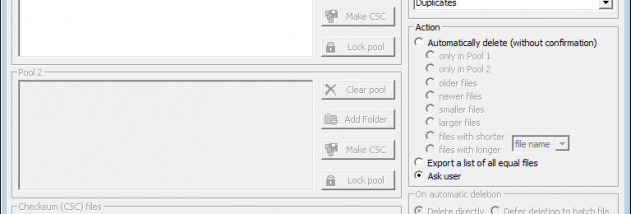
Searches can be directed at files and folders, with CloneSpy offering different criteria for deciding which items to compare. Once matches are found, the program can help determine which copy to keep and what to do with the others. Users can remove redundant files, move them to a chosen folder, or export a list of matching files without changing the originals. These options support both cleanup and review workflows: exporting a list lets users inspect results separately before taking action.
For more controlled file operations, CloneSpy can defer actions on redundant files to a batch file, allowing those operations to be applied later. It can also replace redundant copies with shortcuts or, on NTFS volumes, hard links to a retained file. This can preserve access through multiple file locations while reducing duplicated storage. The available handling methods make it possible to choose between immediate cleanup, moving files aside, documenting matches, or connecting duplicate locations to a retained copy.
CloneSpy can create checksum files from files on CDs, hard drives, or other storage. These records can then be used to check whether the recorded files already exist on a system, without needing to compare the original collection again each time. This is useful for checking archived media and backup sets against a working drive. Its different match criteria also make it suitable for finding zero-byte leftovers, comparing files with recurring names, and locating exact copies gathered from downloads or repeated transfers.
CloneSpy is freeware for Windows, with the supplied operating-system support covering Windows XP through Windows 10. Some file-handling features depend on the storage format; hard-link replacement requires NTFS. Because the program can delete or otherwise alter redundant files, reviewing exported match lists or choosing a move operation can provide a cautious first step when cleaning an unfamiliar collection.