ColorWasher Plugin for Windows 10 - Full description
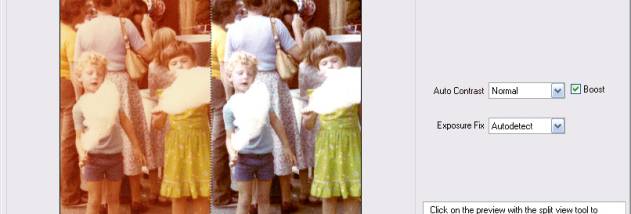
ColorWasher is a photo-correction tool for photographers and image editors who need to adjust color, tone and exposure in digital or scanned images. It is available as a plug-in for compatible image editors and as a standalone application, so it can fit into different editing workflows. Its automatic, semi-automatic and manual controls accommodate quick fixes as well as more deliberate restoration work, including corrections to older, faded photographs.
The adjustment tools address color balance, contrast, exposure, saturation and shadows or highlights. Automatic and semi-automatic options help identify and correct common image problems, while manual controls give editors more direct input when a photo needs specific treatment. An Easy Mode provides a simpler working approach, and an Expert Mode supports more detailed adjustments. Interactive hints and step-by-step manual instructions help explain the controls as users work.
The plug-in can run as a filter in a range of host applications, including Photoshop, PaintShop Pro, Photoshop Elements, Photo-Paint, PhotoImpact and IrfanView. In Photoshop it can also be applied as a Smart Filter, allowing settings to be retained with the document, and adjustments can be recorded in actions. Preview zoom supports close inspection of image details, while multicore processing helps render previews more quickly. Batch processing is available for handling groups of images, making the software useful when a consistent correction is needed across many files.
ColorWasher works with more than conventional photographs. It can be used to correct scanned images and to adjust web graphics, drawings, cartoons, paintings and screenshots. It can also refine color or monochrome looks in the same editing process as photo correction. For RAW workflows, the standalone edition can open supported camera RAW files, and the plug-in can be used after conversion to improve a result from a RAW converter. Standalone editing also supports opening multiple images non-destructively and includes batch and save options.
The software is offered as a demo and is intended for Windows systems, including Windows 10 and Windows 11. Plug-in compatibility and color management depend on the host application. The standalone edition supports common formats such as Camera Raw, JPEG, TIFF, PNG and PSD, with format availability depending on the edition. It is suited to individual image repair, routine photo enhancement and faster batch correction within an established editing workflow.