Disk Savvy Pro
Disk Savvy Pro is a disk space analysis utility for users who need to understand how ... be unnecessarily broad. Disk Savvy Pro is trialware from Flexense Computing Systems Ltd. It is available for Windows 10 and ...

Disk Savvy Pro analyzes storage on local disks, network shares and NAS devices, organizing files by type, size, extension and creation date. Pie charts, bar graphs, detailed listings and built-in search help users identify where space is going. It can export reports to HTML, PDF or Excel, schedule scans, send notifications and move, copy or delete files from within the application.
| Author: | Flexense Computing Systems Ltd |
| License: | Demo |
| Price: | $25.00 |
| Released: | Jan 22, 2026 |
| File size: | 9.00 MB |
| Downloads: | 408 |
| Keywords: | x64 analyze, disk usage reports, x64 software, x64 viewer, x64 disk usage viewer, x64 space usage analyzer, x64 HDD analyzer, network storage analysis, x64 analyzer, file categorization, disk usage analyzer, Flexense Computing Systems, find large files, disk space analyzer, data storage management, analyze hard drive space, disk space analysis, Disk Savvy Pro |
| Author URL: | https://www.syncbreeze.com/ |
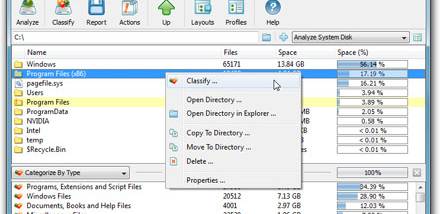


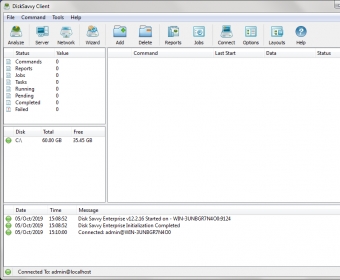


Disk Savvy Pro is a disk space analysis application for Windows users who need to understand how storage is being used across computers and shared storage. It scans local disks, network shares and NAS devices, then organizes findings so administrators and home users can locate large, old or otherwise noteworthy files. Its file-system support makes it useful across varied storage setups, from a single PC to networks with shared folders.
A scan can group and filter files by type, size, extension and creation date. These views help narrow a broad inventory to practical questions, such as which file types occupy the most space or which older files may be candidates for review. Results are presented as detailed listings and visual summaries, including pie charts and bar graphs, allowing users to inspect both overall proportions and individual files. The built-in search can also locate specific files or groups without browsing folders manually.
For record keeping and collaboration, Disk Savvy Pro can produce reports in HTML, PDF and Excel formats. Automated analysis operations and scheduled scans help teams repeat checks on a regular basis, while notifications can flag conditions that need attention. This workflow is suited to ongoing storage monitoring: scan a disk or share, compare the findings with operational needs, and retain a report for colleagues or later reference.
The application includes file operations that let users move, copy or delete items from within the analysis interface. These tools can shorten the path from identifying a storage issue to acting on it. Secure deletion is available for removing sensitive files more thoroughly than a standard delete, while ordinary file management actions can be used to reclaim space after reviewing scan results. Care is still needed when removing or relocating files, particularly on shared or business storage.
Disk Savvy Pro is offered as a demo and is developed by Flexense Computing Systems Ltd. It is intended for Windows environments, including Windows 10 and Windows 11, and can analyze local as well as networked storage. Its combination of categorized scans, visual reports, scheduling and in-app file operations makes it suitable for periodic disk audits, investigating low-space warnings and documenting storage use in offices or larger systems.