Donemax Data Eraser for Windows 10 - Full description
Donemax Data Eraser is a Windows utility for overwriting data that ordinary deletion leaves behind. When files are removed from the Recycle Bin, Windows generally marks their storage space as available rather than immediately clearing the contents. Until that space is reused, recovery software may be able to restore the data. The program is intended for people who need to reduce that risk before sharing, selling, or reusing a computer or storage device.
Instead of requiring a complete drive wipe for every cleanup, the software lets users select particular files for deletion. It overwrites the space associated with the selected items, making this a more focused option when only a limited amount of data needs to be removed. The time required depends on the amount of data being processed, so targeting selected files can avoid the longer work involved in clearing a larger area.
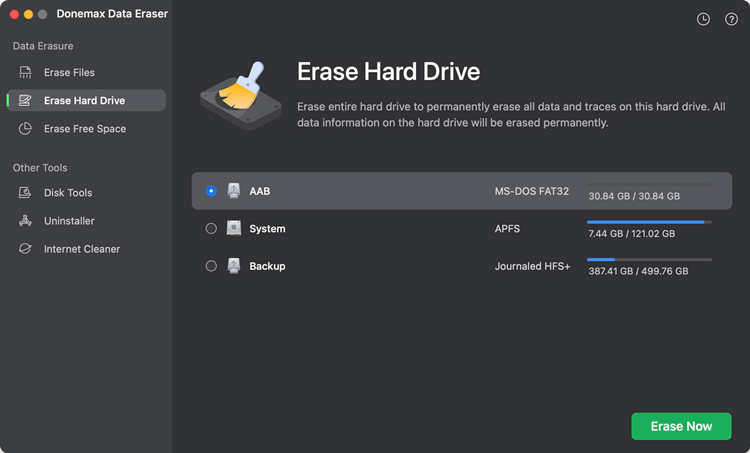
The utility can also be used to address data remnants on a hard drive connected to a PC, such as a drive removed from a computer being prepared for resale. This makes it relevant to individual owners as well as refurbishers handling devices before they are passed to new users. Shared-computer owners may use it to remove sensitive files or browser-related data that they do not want others to recover; the key purpose is overwriting, rather than simply removing file references.
A typical workflow is to identify the material that should no longer be recoverable, select it in the program, and run the deletion operation. For a device being sold or transferred, users can connect its drive to a computer running the utility and process the relevant data before handing it over. Careful selection matters because overwritten information is not intended to remain available for ordinary recovery.
Donemax Data Eraser is distributed as demo software and is designed for Windows. It supports Windows 11, Windows 10, Windows 8, Windows 7, and Windows Vista, including 32-bit and 64-bit editions where applicable. It is suited to targeted data cleanup rather than everyday file deletion, where the Recycle Bin remains useful for recovering mistakes.