DownThemAll for Windows 10 - Full description
DownThemAll is a download manager built as an extension for Mozilla Firefox. It is intended for people who regularly save multiple files from websites and want more control than the browser's standard download tool provides. From a webpage, it can collect links or images and prepare selected items for downloading, keeping the process within the browser rather than requiring a separate desktop application.
Selection filters help narrow a page's links or images to the files that matter. Customizable criteria can be used to include or exclude items, which is useful on pages containing many unrelated downloads. Instead of opening each link individually, users can select matching files together and send them to the download queue. The extension also includes a download accelerator designed to increase transfer speed by splitting work across connections where supported; actual results depend on the server and network.
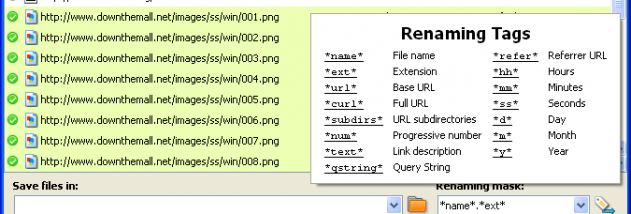
Downloads can be paused and resumed, making it easier to manage long transfers or temporarily free bandwidth. Queue controls support searching, filtering and sorting by details such as file name, size and status, while finer-grained management helps organize pending and active items. Custom file names can be assigned, and files can be renamed during or after a download. Metalink support provides another way to handle downloads when a compatible link is available, including support for HTTP headers.
These tools suit tasks such as saving a set of images from a gallery, collecting files linked from a resource page, or managing several large downloads without losing track of their progress. Browser integration keeps selection and queue management close to the pages where files are found. Additional preferences offer more control over the extension's behavior, including advanced options for power users and proxy handling.
DownThemAll is freeware and requires Mozilla Firefox; it is not a standalone download manager. Its browser-extension design makes Firefox the central part of the workflow, so availability and compatibility depend on the Firefox environment in use. The software is intended for Windows systems, including Windows 10, as well as older Windows releases. It can be useful for users who want batch selection and queue controls, though it does not remove restrictions imposed by websites or guarantee faster transfers.