BackUp Maker Standard Edition
BackUp Maker Standard Edition is a file-backup utility for ... store it, making it practical for straightforward personal backups as well as more customized routines. The program can ...

FBackup is a Windows utility for protecting files, folders and drives with full or mirror backups. A guided setup helps create jobs, and scheduling can run them automatically. Backups can be stored locally or sent to Google Drive and Dropbox. Filters control which items are included, while restore options can return data to its original location or another destination. Password protection, encryption and backup history add further control.
| Author: | Softland |
| License: | Shareware |
| Price: | $39.99 |
| Released: | Oct 28, 2026 |
| File size: | 102.00 MB |
| Downloads: | 217 |
| Keywords: | free backup software, Backup Data, cloud backup, fbackup, Schedule, scheduled backup, x64 software, file backup software, Backup, Backup Schedule, Restore, mirror backup, Windows 10 compatibility, data backup utility, restore files, Restore Data, FBackup, F Backup, Softland |
| Author URL: | https://www.softlandro.com/ |

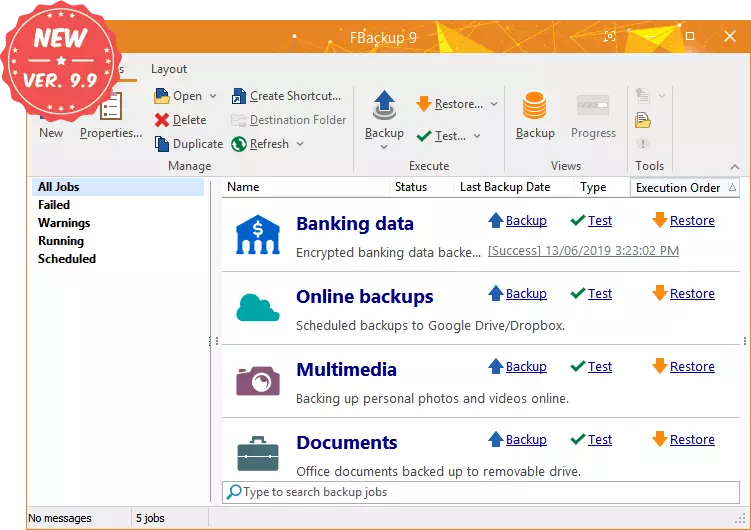
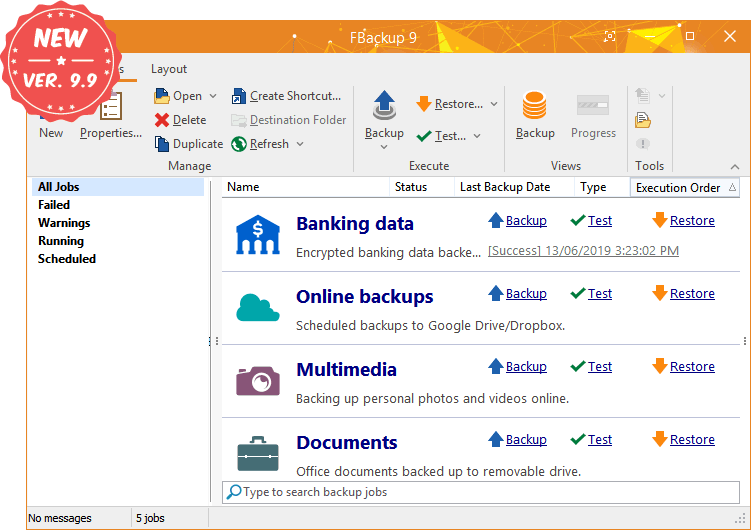



FBackup is a Windows backup utility from Softland for home users and organizations that need a straightforward way to protect files and folders. A guided setup helps create backup jobs without requiring command-line knowledge, while configurable options give experienced users more control over what is copied and when. Jobs can be run manually or scheduled to keep backups current.
The program offers full and mirror backups. A full backup copies the selected data, while a mirror backup keeps a destination copy aligned with the source, making it useful for maintaining an accessible duplicate. Users choose the files, folders or drives to include and can apply filters to exclude particular items. These controls help limit a job to important documents, project files or other selected data rather than copying everything.
Scheduling can run jobs at chosen intervals, reducing the need to remember routine backups. FBackup can send copies to cloud storage services including Google Drive and Dropbox, as well as to local destinations. Before or after a job, it can run configured actions such as launching a program or shutting down the computer. Password protection and encryption options provide safeguards for backup data, while backup history helps users identify earlier copies when they need to recover a previous state.
Recovery is handled through the program: selected data can be restored to its original location or another destination. This is useful both for retrieving individual files and for rebuilding a set of backed-up data after loss or changes. The combination of scheduled jobs, destination choices and restore options suits routine personal backups, as well as small-business workflows that need repeatable copies of working files.
FBackup is shareware from Softland and runs on Windows, including Windows 10 and Windows 11, as well as supported Windows Server editions. The interface is designed to make common backup and restore tasks approachable, with filters and pre- or post-job actions available for more tailored workflows. Users should choose a destination with enough space for the data and check that scheduled jobs can access both the source and destination when they run.