Morpheus Photo Animation Suite
Morpheus Photo Animation Suite is a desktop toolkit for creating animated ... and Photo Mixer, giving hobbyists, artists and web designers several ways to alter and combine images without ...

GIF Movie Gear is a frame-based editor for creating and refining animated GIFs. Its workspace shows all frames at once and supports direct mouse selection, including selecting multiple frames for group edits. Users can adjust timing and frame removal methods, edit delays in the preview, reduce palettes with an animated before-and-after comparison, and optimize frames to shrink file size.
| Author: | gamani productions |
| License: | Trialware |
| Price: | $29.95 |
| Released: | Jul 12, 2015 |
| File size: | 983 kB |
| Downloads: | 281 |
| Keywords: | GIF Movie Gear, gif frame editor, color reduction tools, gif animation editor, animation, design, image, gif animation timing, blend gif animations, animation software, graphic, gif palette optimizer, Windows 10 compatible, animated gif maker, gamani productions, frame-by-frame editing |
| Author URL: | http://www.gamani.com |
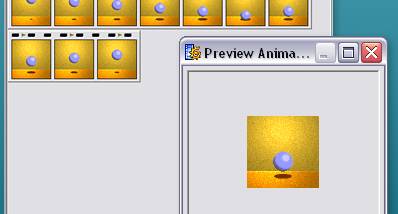

GIF Movie Gear is a desktop editor for creating and refining animated GIFs. It is aimed at web designers and other users who work with frame-based animation and want to manage individual images and animation settings in one workspace. Its interface displays all frames together, making it easier to review an animation's sequence and select frames directly with the mouse.
Multiple frames can be selected and manipulated as a group, which is useful when several images need the same change. Animation timing and frame removal methods can be adjusted from the toolbar. Timing can also be edited in the preview window: users can set a delay for an individual frame or apply relative or absolute changes across the animation. These controls help coordinate motion without editing every frame separately.
For image changes, LiveEdit opens a frame or the complete animation as layers in an external image editor. When the edited file is saved, the changes appear automatically in GIF Movie Gear. The program also supports 24-bit color for AVI animations and works with icon files and PSD, PNG, BMP and JPEG images. Palette reduction provides an animated before-and-after view, helping users judge color changes and file-size savings. Inter-frame optimization can further reduce an animation's size.
The blending tool combines two animations frame by frame. It can be used to place animations side by side or to add a new background behind a sprite animation. Together, frame selection, timing controls, palette tools and external-editor integration support both detailed adjustments and broader animation revisions, including preparing smaller animations for web use.
GIF Movie Gear is trialware for Windows, with support listed for Windows 10 and Windows 11 as well as earlier Windows releases. Its frame-based workflow is suited to users who want direct control over animation timing, palettes and individual images. The program can also be used to handle several common still-image formats and icon files alongside its animation work.