Graphic Workshop Professional for Windows 10 - Full description
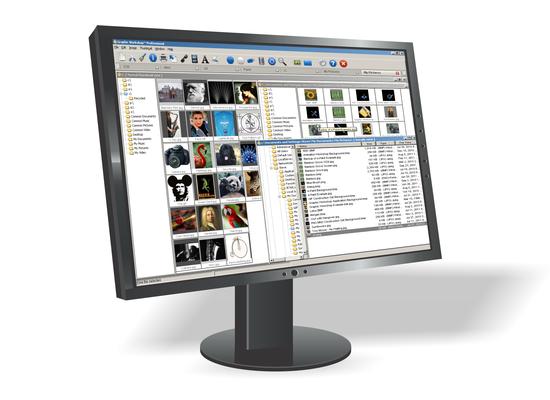
Graphic Workshop Professional is a Windows image editor and conversion utility for people who want to browse and make practical changes to picture files without relying on a complex graphics suite. Its Explorer-based layout lets users navigate folders on a hard drive, locate images and open them in a viewing window. The program is suited to managing personal photo collections and carrying out common edits such as resizing, cropping and changing image orientation.
The viewing window supports moving to the previous or next image in a sequence, adjusting zoom and checking file information such as dimensions and compression. Editing tools include resizing, flipping and rotating images, as well as cropping and applying effects. Available effects include grayscale, color dithering and image reversal. These tools can be used to make straightforward visual adjustments or prepare pictures for a different purpose, without requiring a separate application for each operation.
Additional options let users add a watermark, caption, matte or frame, and apply textures or fractal effects. Images can also be annotated with keywords and comments, which can help organize a collection. The program provides different viewing and sorting modes, including text and details views, and a folder override option. It can copy an image to the clipboard, add an image as a thumbnail, convert pictures and delete image files. Quick-access buttons complement the menu commands, while the built-in help includes tutorials and screenshots.
Graphic Workshop Professional can be used to browse stored pictures, make basic edits to photos, create captioned or watermarked images, and convert image files. Its range of functions brings viewing, file organization and editing together in one application. Users who need detailed creative controls or a modern graphics workflow may prefer a more specialized editor, but the program covers a range of routine tasks in a single interface.
The software is offered as a demo and is available for Windows 10 and Windows 11, as well as earlier Windows releases. Its Explorer-style browsing and familiar editing operations make it accessible to users with limited image-editing experience. The interface includes a help file for guidance, and the program can be used to inspect and work with pictures stored on the computer.