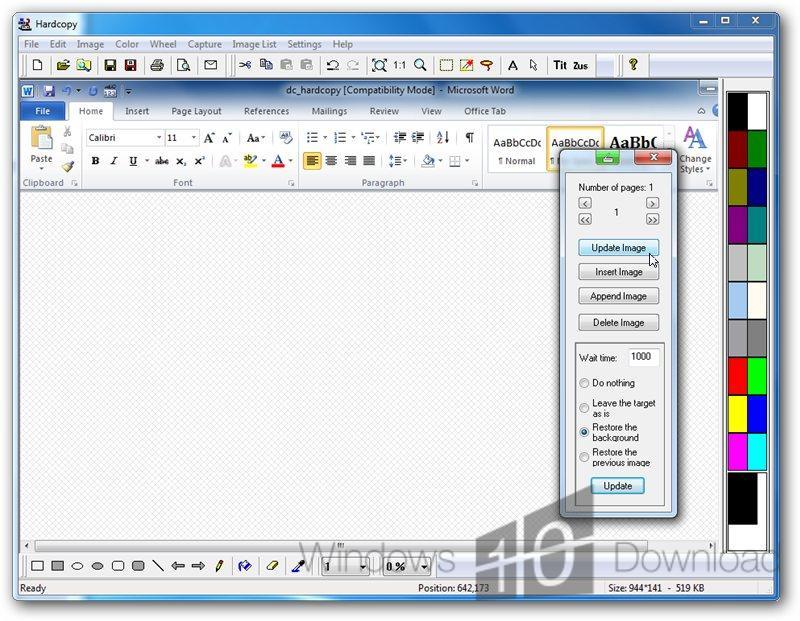
Hardcopy for Windows 10 - Full description
Hardcopy is a Windows screen-capture program for people who need to document, edit, print, or share what appears on their desktop. It can capture the entire screen, an individual window, or a user-defined area, helping users include the relevant content while leaving out unrelated parts of the display. The combination of capture, image editing, and printing makes it useful for both quick records and more prepared visual documents.
Captures can be annotated and adjusted before they are saved or printed. Text can be added to explain an image, while drawing tools and shapes can call attention to interface elements or mark areas that need review. These edits help turn a raw screenshot into a clearer reference for instructions, reports, presentations, or support requests. Users can capture only the section needed and then add context directly to the image, rather than relying on a separate document to explain every detail.
Hardcopy also supports direct printing, providing a way to move a screen image onto paper for meetings, records, or filing. Its configurable hotkeys give users quick access to capture actions, and settings for default save locations and preferred image formats help fit the program into an established workflow. These options are useful for repeated tasks, such as collecting screenshots during testing or producing a consistent set of instructional images.
Typical uses include documenting software problems, preparing step-by-step material, keeping a visual record of on-screen information, and sharing annotated screenshots with colleagues. Capturing a window or selected region can make these materials easier to read by excluding unrelated desktop content, while printing offers a paper copy when digital sharing is not suitable.
Hardcopy is shareware from Siegfried Weckmann and is available in multiple languages. It supports Windows 10 and Windows 11, as well as a range of earlier Windows releases. The program's capture and editing tools serve users who need more than a basic screenshot, particularly when images must be marked up, saved in a chosen format, or printed.