IZArc2Go
IZArc2Go is a portable file archiver from IZSoftware for ... different compressed files. For archives that need extra protection, IZArc2Go includes encryption and password protection. It can also ...

IZArc is a Windows file archiver for creating, opening, and managing compressed files. It supports formats including ZIP, RAR, 7-ZIP, TAR, ISO, BIN, and LHA. Users can encrypt archives with AES 256-bit encryption, create self-extracting archives, and attempt to repair damaged files. Drag-and-drop operations and Windows Explorer context-menu integration help with everyday archive tasks.
| Author: | IZSoftware |
| License: | Freeware |
| Price: | FREE |
| Released: | May 15, 2025 |
| File size: | 5.20 MB |
| Downloads: | 941 |
| Keywords: | file archiver, archive encryption, PAK, B64, archive format, file compression utility, BZ2, 7-ZIP, IZArc software review, GCA, ISO, archiving, x64 architecture, ENC, archive, free archiving tool, archive extractor, BIN, PK3, JAR, LIB, ARJ, Windows 10 compatibility, GZA, MDF, archiving tool, BZA, CPIO, RAR, MIM, RPM, extract, create zip archive, zip archiver, rar file opener, MBF, ACE, DEB, LHA, NRG, ARC, CAB, TAR, CDI, IZSoftware developer, repair damaged archive, LZH, PDI, IMG |
| Author URL: | http://www.izarc.org/ |

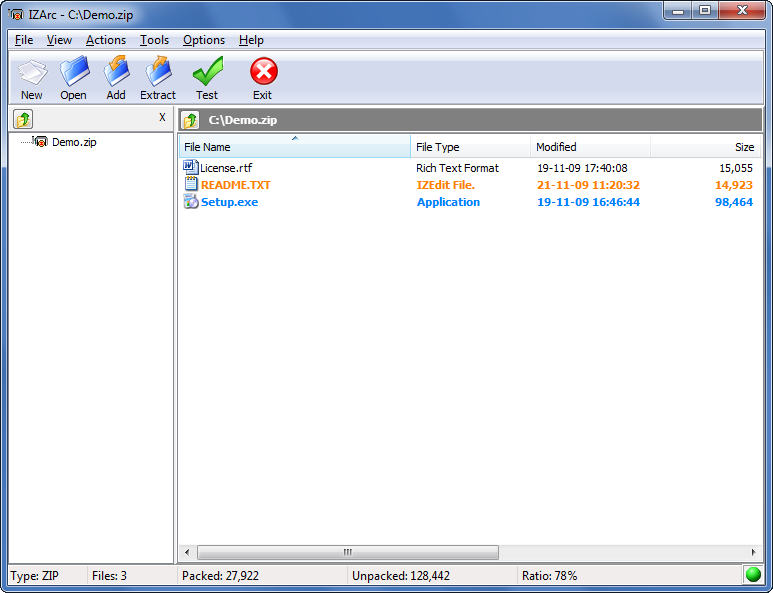



IZArc is a Windows file archiver for users who need to create, open, and manage compressed files in a range of formats. It combines everyday compression and extraction tasks with tools for encryption, archive repair, and creating self-extracting files. Drag-and-drop support and Windows Explorer integration provide quick ways to work with archives, while its multi-language interface makes the program usable in different language environments.
The program handles common archive formats such as ZIP, RAR, 7-ZIP, and TAR, as well as formats including ISO, BIN, and LHA. This is useful when files arrive in different archive types: rather than switching between separate utilities, users can open supported archives in IZArc and extract their contents. To package files, they can select items and create an archive, using drag and drop to simplify the process. The format range also includes disk-image types such as ISO and BIN, which can be opened as archives for access to their contents.
For sensitive files, IZArc can encrypt archives with AES 256-bit encryption, helping restrict access to people who have the password. It can also create self-extracting archives, which package files with an extractor so recipients can unpack them without installing a separate archiving utility. When an archive is damaged, the repair feature attempts to recover data, offering a possible route to retrieving files that would otherwise be difficult to open.
IZArc's Windows Explorer integration lets users access archiving actions from the file manager's context menu. This can make routine tasks quicker: users can start working with a file or archive from its folder instead of opening the program first. The interface also supports drag-and-drop operations, providing a straightforward way to add files or begin extraction. These options suit both occasional users who need to unpack a downloaded file and people who regularly bundle, distribute, or protect groups of files.
IZArc is freeware from IZSoftware and is available for Windows 10 and Windows 11, as well as Windows 7 and Windows 8. The supplied system information includes both 32-bit and 64-bit editions of Windows 7 and Windows 8, and Windows 10. Its combination of broad format support and practical file-management tools makes it useful as a general-purpose archive utility, particularly for handling archives received in varied formats or preparing files for sharing.